






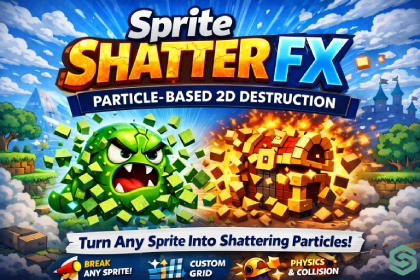
Sprite Shatter FX — Particle-Based 2D Destruction
CoreBit_Studio
$11.00
$22.00
50%OFF
(no ratings)
Jump AssetStore
Turn any sprite into a particle shatter effect — bake, preview, and tweak it all inside the Unity Editor.Sprite Shatter FX — DescriptionSprite Shatter FX is a powerful and easy-to-use Unity tool that lets you transform any sprite into a dynamic shattering effect using the built-in Particle System.It automatically breaks your sprite into multiple pieces (shards) and applies physics, motion, rotation, and visual effects — making it perfect for destruction, impact, and stylized VFX scenarios.✨ Key FeaturesOne-Click Shatter & Bake — instantly generate and place the effect in your sceneLive Preview in Editor — see results in real time before bakingGrid-Based Shattering — control shard count with rows and columnsAdvanced Explosion Controls — fine-tune force, gravity, decay, and impulseRotation & Lifetime Systems — realistic shard movement and behaviorTurbulence & Noise — organic, unpredictable motionTrails & Flash Effects — enhance visual impact2D Collision Support — shards interact with world geometryMask System — create stylized and custom shard shapesPreset System — fast workflow with built-in presets (Default, Fire Burst, Ice Break, etc.)🎮 Use CasesDestruction effects (breaking objects, explosions)UI element transitions and disintegrationEnemy death animationsInteractive environment propsStylized VFX (fire, ice, magic effects)⚙️ Why Choose Sprite Shatter FX?Sprite Shatter FX gives you maximum control with minimal effort. No need for complex shaders or custom physics systems — everything is built on Unity’s native Particle System, ensuring smooth performance and easy integration into any project.Quick WorkflowAssign your spriteChoose a preset or tweak settingsClick Shatter & BakeInstantly get a ready-to-use effect in your sceneGrid slicing — configurable rows and columns slice the source sprite into individual fragment particles; optional scatter offset randomizes starting positions9 launch directions — Radial, Up, Down, Left, Right, and four diagonals, each with an adjustable spread anglePhysics-style motion — explosion force, gravity multiplier, speed modifier, burst impulse, decay sharpness, and velocity retention give fine control over how fragments move and slow downScale on impact — fragments punch outward with a configurable scale peak at burst, then settle back downTurbulence (Noise) — strength, frequency, and scroll speed controls add organic drift to fragment pathsLimit Velocity — cap max fragment speed with a separate dampen valueColor tint + flash — optionally shift all fragments to a tint color and trigger a flash at the moment of burstTrails — per-fragment trails with independent width, lifetime, and colorCollision — world-collision support with dampen and bounce coefficients, layer mask selectionMask materials — apply shape-mask materials to fragments in Random or Sequential order, loaded from a dedicated asset folderLifetime & rotation — independent min/max lifetime and rotation-over-lifetime ranges; optional random start rotationLoop mode — optional looping with manual duration overrideLive preview — built-in PreviewRenderUtility viewport with Play / Pause / Stop controls, no need to enter Play ModeBatch tab — bake multiple sprites in one passPreset system — built-in factory presets plus unlimited user presets, persisted via EditorPrefs; supports save, rename, and deleteClean output — bakes to a standard UnityEngine.ParticleSystem prefab; optional auto-delete of the previously baked objectSome parts of the marketing materials were created with the help of AI tools.The thumbnail image was initially generated using an AI tool and later customized.The store description draft was AI-assisted and then fully rewritten by the publisher.

