






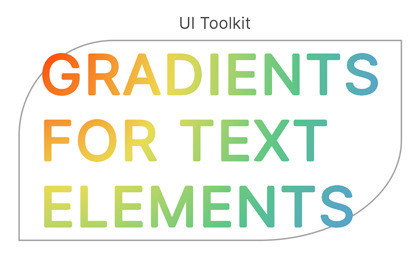
UI Toolkit Gradients for Text & Soft Text Masks
KAMGAM
$13.74
$27.49
50%OFF
(no ratings)
Jump AssetStore
UI Toolkit gradients for text elements.Links: Manual | Support via Email⚠️ This asset is NOT for uGUI. It’s for the new UI Toolkit and Unity 6.3+.🤨 But doesn’t Unity already have a tag? Why this asset?Yes, if all you need is per character gradients then the gradient tag is the tool for you and you should not get this asset.Here is the full feature list:✔️ Blend ModesUse blend modes for colors and alpha to effectively create soft mask for your text.✔️ One gradient across all text in any text elementThree gradient modes (element, text, character) with radial gradients and angle control for linear gradients.✔️ No richText requiredWorks for text that has the enableRichText option disabled too.✔️ Color Blending & Alpha MaskingGradients can blend with the underlying text colors. Useful to emulate lighting and other effects like alpha masking.✔️ Works with UI Builder, USS Style Sheets and C# CodeWhatever your prefered workflow is this tool has you covered.✔️ Gradients are saved in your UXMLAll the data is right there in your UXML file ready to be shared, copied, ... .No need to manage separate gradient assets.✔️ No custom element needed (it uses Manipulators)You can add it easily to any of your existing visual elements, no custom element required.✔️ Undo/Redo SupportFull undo and redo support in case you want to revert your changes.✔️ UPM PackageIt's all conveniently placed in a upm package so it stays out of your Assets folder.✔️ ExamplesCheck out the Samples in the Unity Package Manager to get demos like the mouse following radial gradient.✔️ Full Source Code includedI publish this asset with full source code because as a developer I know how annoying it is to not have source code access. If you like it then please remind others to purchase the plugin. Don't just copy and paste it everywhere. Thank you ❤️✔️ Supports Unity 6.3+ LTSIt should work on any platform that supports UI Toolkit. Yes, it works with WebGL.⚠️ READ THIS BEFORE YOU BUY ⚠️Unitys tag might be enough for you already!If all you need is per character gradients then the gradient tag is the tool for you and you should not get this asset!CAVEATS:The colors that can be displayed are limited by the four corners (vertices) per character. Thus three or more colors in a gradient ON ONE CHARACTER will probably not look as you expect (middle colors look washed out). This is a limitation by how Unity renders the text mesh and can not be avoided. Usually it's not noticable but if you do very big characters or many colors in a gradient then you may run into this.Underlines can not be colorized (not supported by Unitys API) thus they will always show in the text color of the element.✍️ Usage (UI Builder)Scroll to the Text section and tick the "Enable Gradient" checkbox.You are done. Enjoy your gradients.For more details please check out the Manual.✍️ Usage (USS Stylesheets)Step 0 is me assuming you have added the stylesheet to your layout (just mentioning it as it's oftern forbotten ;-)In UI Builder (or in your uxml file) select the element you want to add a gradient via USS styles to.Add a USS class name to activate gradient rendering for that element. The name is: kamgam-text-gradient. This will let the gradient system know that this element should be watched.Now you can add a custom style to your USS file. Example: --kamgam-text-gradient: "linear-gradient(#000000, #F3FD2d)";For more details please check out the Manual.✍️ Usage (Code)Import the Kamgam.UIToolkitTextGradients namespace. This will give you access to some handy TextElement extension methods.Call element.SetOrAddTextGradient(gradient); to add a gradient.For more details please check out the Manual.😎 HINT 1:As always, please read the Manual. It's there for a reason ;-)🧐 HINT 2:There are some extra settings under Tools > UI Toolkit Text Gradients > Settings.😎 HINT 3:You can construct your greadient USS styles on the Mozilla website. While not all properties are supported (see manual) you can usually copy the gradient style definition just fine from there.☎️ SupportPlease check the Manual before asking questions. I routinely add new infos to the FAQ secion of it. If you have any questions you can write to office[at]kamgam.com. Please be patient, replies may take a few days.Please include these infos in your request:1) Your Asset Store Order Nr (sadly needed to filter out all the pirates)2) Your exact Unity version (x.y.z.f#).3) Your exact Asset version (x.y.z).4) Reproduction steps or a video or a link to your project (whole project zipped).The more infos I have the faster I can reproduce the problem and the quicker I can give you a proper reply. Thank you for understanding :-)❤️ If you like this asset then maybe you'll like these too:🔍 UI Toolkit Gradients for Background and BordersAdd gradients to your backgrounds and borders.🧐 UI Toolkit Blurred BackgroundBlurred scene backgrounds (and more) for your UI.🏹 Power PivotNon-destructive pivot changer & pivot editing tool.𝄞 UI Toolkit Sound EffectsEasily add sounds to your UI (with reverb settings etc.).🔑 License InfoThis asset requires one license per seat (user who has access to the asset files). If you are a team then please consider buying one seat per Unity user.Why am I telling you this?Because most people do not know. It's the default Unity licensing so this is just for awareness. If you have questions about the license then please contact me under office[at]kamgam.com or check Unitys license documentation.

