






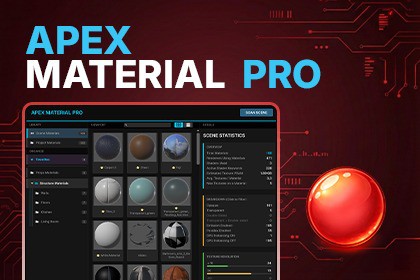
A professional command center for Unity materials.
Scan your project or scene, organize material collections, and control performance.Analyze. Organize. Control.📘 User Manual | 🛟 Support | 🎬 Demo VideoStop drowning in unorganized materials. Apex Material Pro is the modern command center designed specifically for Unity 6 to help you master your project's visuals without modifying your assets or project structure.Built with UI Toolkit, it integrates seamlessly with the Editor's dark theme for a fast, native experience.🔍 ANALYZE – Know Your CostsStop guessing where your performance cost comes from.Scene & Project Scans — Detect all materials used in your scene or entire project.Material Cost Score — Identify expensive materials instantly (Low / Medium / High).Texture Analysis — Inspect resolution, format, and VRAM usage for every texture map.Shader & Keyword Tracking — Monitor active shader keywords and rendering settings.Duplicate Detection — Find identical materials (same shader, keywords, textures).Interactive Statistics — Click stats and graphs to filter results instantly.📦 ORGANIZE – Build Your WorkflowCreate a clean material workflow without changing your project structure.Custom Collections & Folders — Group materials logically using drag & drop.Favorites System — Keep important materials instantly accessible.Non-Destructive Organization — No file moves, no project restructuring.Persistent Collections — Stored as lightweight assets, shareable with your team.Grid & List Views — Visual browsing or data-driven inspection.🎮 CONTROL – Take ActionInteract with your materials without leaving the tool.Select all objects using a material in one click.Toggle GPU Instancing instantly.Locate assets directly in the Project window.Filter materials by usage, rendering mode, or texture size.Everything you need in one place.High-Performance UI ArchitectureBuilt entirely with Unity’s modern UI Toolkit framework (VisualElements, UXML, USS).No legacy IMGUI code ensures minimal editor overhead, smooth resizing, and stable performance.Optimized for Large ProjectsVirtualized ListView and GridView rendering display only visible elements, maintaining smooth navigation even with 5,000+ materials.Responsive InterfaceFlexbox-based responsive layout scales correctly across different resolutions, DPI settings, and 4K monitors.💾 Data & Project SafetyScriptableObject-Based StorageCollections and folders are stored as standard .asset files using ScriptableObjects.Version control friendly (Git, PlasticSCM, Perforce)Reliable serializationTeam workflow readyNon-Destructive WorkflowThe tool reads data via the AssetDatabase API and never modifies materials unless explicitly triggered by the user.Clean Project StructureLocal user preferences are stored in EditorPrefs, avoiding temporary project files or hierarchy clutter.🧠 Analysis & ProcessingSmart VRAM EstimationMemory usage is calculated using Profiler.GetRuntimeMemorySizeLong, with automatic texture reference de-duplication for accurate global statistics.Duplicate Detection AlgorithmPotential duplicates are detected by comparing shader hash, active keywords, and texture references.Asynchronous Preview GenerationMaterial previews load asynchronously to prevent editor freezes during browsing.🔌 CompatibilityPipeline Agnostic: Built-in, URP, HDRPUnity Version: Tested and compiled for Unity 6 (2023.3+) and newerEditor Only: No runtime overheadCode & Logic: No AI-generated code is used at runtime. AI was used only as a programming assistant for optimization and documentation refinement.Marketing Assets: The product logo and storefront cover images were generated or enhanced using AI tools. I hold the full rights to use these images for commercial distribution as per the AI tool's terms of service.Runtime Content: No AI models, specialized hardware, or third-party AI services are required to use this asset.

