






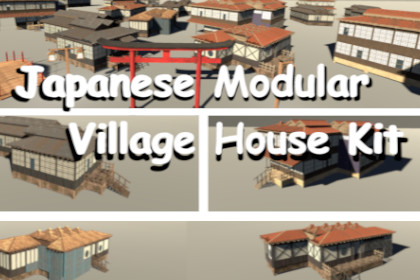
The Japanese Modular Village House Kit is a modular Unity asset package designed for building customizable traditional Japanese village environments.Dependencies For the provided scripts to work properly, you will need TMP Essential Resources.Render Pipeline Compatibility Built-in Render Pipeline: Supported URP: Supported (materials may require minor adjustment) HDRP: Supported (materials may require minor adjustment) Tested with: Unity 2022.3.62f3 (LTS) Unity 6000.3.9f1This package contains a modular set of traditional Japanese wooden architecture pieces designed for building customizable village environments.What’s Included:Modular Architecture:Floors5 Floor Types × 3 Texture VariationsDoors2 Door Types (1 Slim, 1 Thick) x 3 Texture VariationsMatching Door Frames IncludedSlim Walls3 Wall Types × 3 Texture VariationsThick Walls6 Wall Types × 3 Texture VariationsRoofs5 Roof Types × 3 Texture VariationsMost roof modules include 3 LOD levelsInterior Props:Chair × 2 Texture Variations (3 LODs)2 Types of Lamps × 2 Texture VariationsTable × 2 Texture Variations4 Types of Tatami × 2 Texture Variations6 Types of Shelves × 2 Texture VariationsFloor Stair × 3 Texture Variations (3 LODs)Exterior Props:Bridge × 1 Texture Variation (3 LODs)2 Types of Corrugated Metal Sheets × 3 Texture VariationsFence × 3 Texture Variations (3 LODs)2 Types of Lamp Posts × 1 Texture Variation (3 LODs)2 Types of Stairs × 3 Texture VariationsTorii Gate × 1 Texture Variation (3 LODs)Scripts:The package includes 5 example scripts used in the “HouseExamples” scene to demonstrate functionality.Included Scripts:Door.cs - Opens/closes doors when the player is nearby and presses “E”.InteractionManager.cs - Displays and hides interaction prompts near interactive objects.Lights.cs - Toggles lights when the player presses “F”.Player.cs - Simple example player controller.SunCycle.cs - Rotates the directional light to simulate a day/night cycle.Technical DetailsScaled to real-world units (1 unit = 1 meter).Designed for 1/2 meter grid snapping.Pivots are placed at the bottom corners for easy modular placement.Includes Albedo, Metallic, Normal, Emissive, and AO maps.Optimized for real-time rendering.No lightmaps included.Workflow:Enable Grid Snapping (magnet icon in the Scene view toolbar).Start by placing floor/platform modules.Add thick or slim wall pieces.Attach roof modules.Decorate with interior and exterior props.Approximate Face CountsWalls: 30 – 150 facesBridge: 1000 – 3800 faces (3 LOD levels included)Floors: 10 – 50 facesRoofs: 150 – 800 faces (3 LOD levels included)Lamp Posts: 85 – 600 faces (3 LOD levels included)Stairs: 118 – 230 faces (3 LOD levels included)Assets are optimized for real-time rendering.Lightmap textures are not included.Texture & Material InfoAll textures are 4K resolution.Materials are located in the “Materials” folder. Textures are located in the “Textures” folder.Multiple objects share textures for improved performance.Included Texture MapsAlbedoMetallicNormalEmissiveAmbient OcclusionRender Pipeline CompatibilityBuilt-in Render Pipeline: SupportedURP: Supported (materials may require minor adjustment)HDRP: Supported (materials may require minor adjustment)Tested with:Unity 2022.3.62f3 (LTS)Unity 6000.3.9f1DependenciesFor the provided scripts to work properly, you will need TMP Essential Resources

