






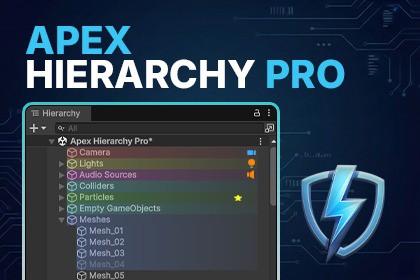
Supercharge your scene management! Apex Hierarchy Pro offers advanced coloring, custom icons, favorites, batch renaming, and smart selection to organize any Unity project instantly.Transform your hierarchy from a mess to a masterpiece.📘 User Manual | 🛟 Support | 🎬 Demo VideoApex Hierarchy Pro is a high-performance Unity editor extension designed to streamline scene management for projects of any scale. Whether you are building a small prototype or managing a massive AAA environment, this tool provides the professional organization, visualization, and cleanup utilities you need to stay productive.Stop fighting with Unity’s default list. Organize, color-code, and optimize your scene hierarchy with a native-feel interface that respects your performance.🎨 Advanced Visualization & FavoritesColors & Custom Icons: Instantly highlight GameObjects with a 6-color palette (smooth gradient rendering) and assign native Unity icons to replace the default GameObject symbol.Hierarchy Separators & Customization: Visually divide your scene into clear, labelled sections with full-width dividers, and utilize the new color eyedropper and icon search tools.Favorites System: Bookmark essential GameObjects with a Golden Star (★). Access them via a dedicated dashboard in the main window to instantly "ping" and teleport to them in your scene.Interactive Popup Menu: A sleek, non-intrusive floating menu directly inside the hierarchy. Click the right edge of any object to assign colors, icons, and favorites in one click.Optimized Performance: Features a built-in Texture Caching System to ensure smooth scrolling even with thousands of objects.📂 Superior OrganizationMulti-Parent Dock: 4 configurable "Quick Slots" to reparent objects instantly. Includes Circular Dependency Protection to prevent hierarchy loops.Natural Sorting: Sort objects logically (Object 2 comes before Object 10) using our regex-based comparison engine.Quick Grouping: Create groups with automatic centering and hierarchy placement.One-Click Reordering: Move objects to the top or bottom of a parent container instantly.⚡ Smart Workflow & Batch ToolsFast Search Mode: Toggle optimized scanning for massive scenes to keep the UI responsive.Batch Renamer: Prefix-based renaming with smart numbering that preserves your original hierarchy order.Smart Selection: Filter your scene by component (Lights, Colliders, Audio, etc.) or state (Static, Inactive, Empty).Unified Tag & Layer Search: Find exactly what you need with combined filtering.Scene Statistics: A real-time dashboard tracking Renderers, Colliders, Rigidbodies, and more.🛠️ Maintenance & CleanupGhost Script Detector: Automatically find and select objects with missing scripts.Safe Removal: Programmatically strip missing components with a single click and safety confirmation.Undo/Redo Support: Fully integrated with Unity’s Undo system for worry-free modifications.Engineered for Performance:Zero Latency: Built using EditorApplication.hierarchyWindowItemOnGUI with a Dictionary-based Texture Cache. Visuals are generated once and stored, resulting in near-zero CPU overhead.Instant Sync: Hooks into EditorApplication.hierarchyChanged to keep the main dashboard perfectly synchronized with your scene modifications in real-time, without expensive frame-by-frame polling.Scalability: Includes a Fast Search Mode toggle to minimize complexity during deep-scene analysis.Non-Intrusive: Does not interfere with your game's runtime logic. All scripts are editor-focused and use [InitializeOnLoad].Clean Codebase: Fully namespaced (ApexTools.Hierarchy) to prevent conflicts with other assets or your own code.Specifications:Scripts: 3 highly optimized C# scripts.Platforms: Works on Windows, macOS, and Linux editors.Render Pipelines: 100% compatible with Built-in, URP, and HDRP.Compatibility: Supports Unity 2019.4 LTS up to Unity 6 (including 6.3+).Dependencies: None. No external DLLs or third-party libraries required.Support & Persistence:Automatically saves all preferences and window states via EditorPrefs.Detailed console logging (can be toggled in settings).Code & Logic: No AI-generated code is used at runtime. AI was used only as a programming assistant for optimization and documentation refinement.Marketing Assets: The product logo and storefront cover images were generated or enhanced using AI tools. I hold the full rights to use these images for commercial distribution as per the AI tool's terms of service.Runtime Content: No AI models, specialized hardware, or third-party AI services are required to use this asset.

