






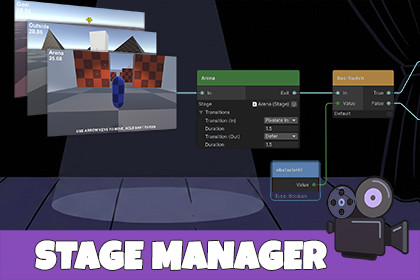
Manage separate locations within a single Scene, each with their own camera, lighting, and set pieces. Visually determine flow between areas, including display transitions and branching game logic.For URP pipeline, convert the included materials for the Demo scenes by navigating to Window → Rendering → Render Pipeline Converter, check the Material Upgrade box, then click the Initialize & Convert button.When your game levels are divided into smaller sub-areas, loading entire scenes introduces overhead that your project doesn't need.Stage Manager lets you easily manage sub-areas within a larger scene, visually define player paths, and configure camera transitions with a few clicks.Whether you're building menu systems, branching narratives, multi-area levels, or cinematic experiences, Stage Manager handles the orchestration so you can focus on what makes your game unique.FeaturesVisual Graph Editor - Design game flow with drag-and-drop nodesSimple Runtime API — Control flow from code with Next(), GoTo(), and eventsIncludes 16 customizable transition prefabs that can be used w/ StageManager or triggered manually with a single line of code.Built-in & URP SupportTwo demo scenes: Playable micro-game w/ 3 short areas, and a stand-alone transition viewer.Detailed documentation including sample code.Extensible — Add custom transition effects with included templatesCompatible w/ Unity 6+Note: Stage Manager transition prefabs can be used stand-alone both in-camera, and between scenes.Website: http://r2rgames.com/Minimum Unity version is 2022.3 LTSTested and Verified w/ Unity 6.3 LTSCompatible w/ Built-in and URP render pipelinesSupport: support@r2rgames.comPlease contact us if you have any issues, questions, or comments!Website: http://r2rgames.comAI was used to create object geometry for the Demonstration scenes.

