






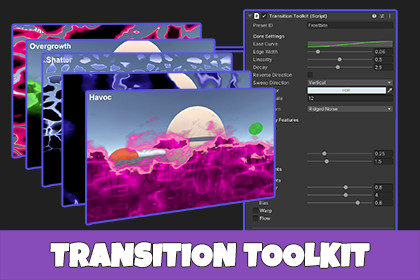
Transition Toolkit is a construction kit for screen transitions in Unity. Combine varied base patterns with stackable effects, all configurable from the Inspector. Includes 21 ready-to-use presets.For URP pipeline, convert the included materials for the Demo scenes by navigating to Window → Rendering → Render Pipeline Converter, check the Material Upgrade box, then click the Initialize & Convert button.Transition Toolkit is a construction kit for building scene loading and in-camera screen transitions in Unity. Choose a base pattern, layer on secondary effects like sparks, filaments, and domain warp, then fine-tune the sweep, decay, and color to make it unique.Presets are included so you can drop in a polished transition immediately or use one as a starting point for new creations.Features11 base patterns — noise, cells, grids, waves, spirals, ripples, and more5 stackable secondary effects — Sparks, Blobs, Filaments, Warp, and FlowConfigure everything from the Inspector with live editing and auto-saveDirection, linearity, edge width, decay rate, easing curve, and HDR color21 ready-to-use presetsURP and Built-in render pipeline supportTrigger any transition by name from a single line of codeTransitions can be used both in-camera, and between scenes.Support, News, and Updates💬 Discord📄 Documentation✉️ support@r2rgames.comLet me know if you have questions, issues, requests, comments! Please email support@r2rgames.com or join the Discord.Minimum Unity version is 2022.3 LTSTested and Verified w/ Unity 6.3 LTSCompatible w/ Built-in and URP render pipelinesSupport: support@r2rgames.comPlease contact us if you have any issues, questions, or comments!Website: http://r2rgames.comAI was used to create object geometry for the Demonstration scenes.

