






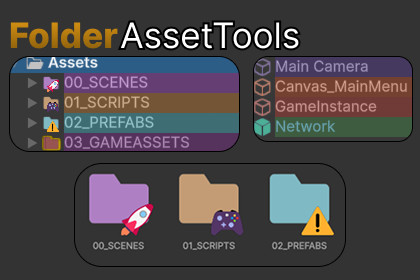
• Icon colorization with Material Design color palette
• Emoji and Unity icon badges
• Favorites system with golden border
• Persistent settings via ScriptableObjectFolder Asset Tool is a Unity Editor extension that provides visual organizationand customization for assets in the Project window and GameObjects in theHierarchy window. It allows developers to color-code folders, add emoji/iconbadges, highlight text, and mark favorites with a golden border outline. 1. FolderColorizer.cs (Main Rendering System) • Singleton-like pattern with [InitializeOnLoad] • Hooks into EditorApplication.projectWindowItemOnGUI • Hooks into EditorApplication.hierarchyWindowItemOnGUI • Renders colors, highlights, emojis, and favorites in real-time 2. AssetToolsWindow.cs (Editor Panel UI) • Extends EditorWindow • 4-tab interface: Colors, Icons, Favorites, Options • Auto-updates on Selection.selectionChanged event • Handles both asset paths and "hierarchy:name" paths 3. FolderColorSettings.cs (Data Layer) • ScriptableObject for persistent storage • Contains List with all customizations • Stored at: Assets/Editor/FolderColorSettings.asset 4. FavoritesWindow.cs (Favorites Manager) • Standalone EditorWindow for viewing all favorites • LINQ-based filtering and search functionality • Quick asset selection via click • Icon colorization with 18 Material Design colors • Text highlighting in Project window list view • 48 text emojis + 30 Unity icon badges • Favorites system with golden border outline • Global and per-asset visibility controls • Support for Project assets and Hierarchy GameObjects • Auto-updating dockable editor panel with 4 tabs • Favorites management window with search • Complete menu integration • Persistent ScriptableObject storage

