






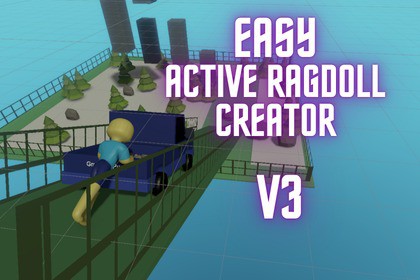
Create an Active Ragdoll from a Mixamo(TM) Rig or Blender(TM) Rigify Rig - Couple of ClicksTest Here:Test Easy Active Ragdoll CreatorEasy Active Ragdoll Creator allows you to create an Active Ragdoll with a couple of click.The active ragdoll must have a Mixamo(TM) Rig or Blender(TM) Rigify Rig.Features:The generated Active Ragdoll has 1) balancing, 2) walking 3) grabbing, 4) jumping, 5) bending, 6) crouching , 7) flipping character, 8) ragdolling and 9) Climbing.Tested on Unity 6000.3.6f1Requirements:Supports Blender(™) Rigify rig or Mixamo(™) rig (This asset does not include any third-party models, or animations. Users must import their own)Floor gameobject must have with tag called “Ground” for all walkable surfacesRigs and mesh gameobject needs to be around 1 unit in scaleInstall Cinemachine and TextMeshPro unity packageSometimes you may need to resize and position collider of active ragdoll generatedTo use:Import Character with a Mixamo(TM) Rig.Drag character and ground into Scene.Set Ground Tag to "Ground" (This is needed for balancing).Go to Tools and select Easy Active Ragdoll Creator and select Create Active Ragdoll.Add bone gameobject references to Easy Active Ragdoll Creator Window.Click Generate Active Ragdoll (You can change scale of colliders if you want or edit it after generating Ragdoll).Keyboard and mouse● To Move use WASD or Up, Left , Right and Down keys● To Rotate Camera if cinemachine setup is correct use Mouse● To Crouch press Q● To Jump press Space● To Grab press Left Mouse Button● To Bend press E● To Flip press Right Mouse Button while jumping● To Run hold Shift while running● To Ragdoll press Z (And the same to get up)Look at documentation (Readme in project assets) for full setup.The package has a editor script that generates an Active Ragdoll.This asset uses the new input system. You can customize to your own needs.Keyboard and mouse● To Move use WASD or Up, Left , Right and Down keys● To Rotate Camera if cinemachine setup is correct use Mouse● To Crouch press Q● To Jump press Space● To Grab press Left Mouse Button● To Bend press E● To Flip press Right Mouse Button● To Run hold Shift while running● To Ragdoll press Z● To Climb first grab climbable surface then right click to climb and once at ledge the character will automatically jump onto surface2. Gamepad● To Move use Left Stick● To Rotate use RIght Stick● To Crouch press Button West● To Jump press Button South● To Grab press Right Shoulder● To Bend press Button East● To Flip press Left Shoulder● To Run hold Right Trigger while running● To Ragdoll press Button North● To Climb press Left Shoulder while grabbing a climbable objectCoding assistance and music trailer and image generation.

