






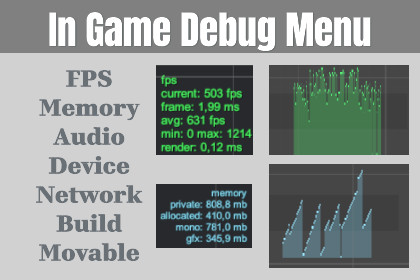
In‑game debug menu prefab with FPS, memory, logs, device/build info, graphs, audio/network/battery stats, presets, runtime layout edit, and inspector‑driven customization.Works with Built‑in and URP out of the box; HDRP not tested. No external Asset Store dependencies. Optional TMP support.A fully automated, inspector‑driven in‑game debug HUD. Drop one prefab into your scene and get FPS, frame time, memory, logs, device/build info, network ping, audio levels, battery status and live graphs. Customize every line, color, font, layout and update rate. Includes runtime drag‑and‑drop layout editing, preset assets, optional TMP support, and log export + screenshot hotkeys. Built for clean UX in production and easy extensibility via a custom counter API.Unity UGUI overlay; optional TMP text (auto fallback)Prefab auto‑created: InGameDebugMenu.prefabCounters: FPS/frame time/avg/min‑max/render, memory, logs, device, build info, network ping, audio RMS/peak/dB, batteryGraphs: FPS, memory, audio (autoscale, size, colors, fill)Runtime layout edit + PlayerPrefs save/loadPresets: ScriptableObject (create/apply/overwrite)Hotkeys: F1 toggle, F2 layout edit, F9 export logs, F10 screenshotLog export + screenshots saved to Application.persistentDataPathInput: New Input System + Legacy compatibleCustom counter API: extend via CustomCounterBaseTested on Unity 2021+; uses safe fallbacks for older versionsThis package was created with assistance from an AI, C# scripts, documentation text, and quickstart PDFs. All code and docs were reviewed, adjusted, and tested by the publisher before release.

