






I will never support English again.
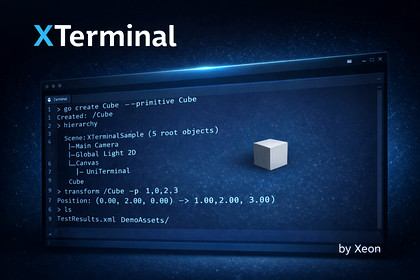
Linux ライクな挙動を備えた、Unity 向けの文字列ベース CLI 実行フレームワークです。
パイプラインやリダイレクトに対応し、拡張可能なカスタムコマンドをサポートします。XTerminalは、Unity内でLinuxライクなCLI体験を実現する文字列ベースのコマンド実行フレームワークです。パイプやリダイレクトなどのシェル構文に対応し、ファイル操作やテキスト処理、Unityオブジェクト操作まで幅広い組み込みコマンドを提供します。`async/await`による非同期実行と(任意の)UniTask対応により、エディタ拡張やデバッグツール、レベル編集支援など、開発ワークフローに組み込みやすい設計です。**主な特徴**- パイプ (`|`) / リダイレクト (`>`, `>>`, `<`) 対応のシェル構文- ファイル操作・テキスト処理・Unity操作などの組み込みコマンド- カスタムコマンドを簡単に追加できる拡張性- 変数展開 (`$NAME`, `${NAME}`) とタブ補完- 大量ログ表示に最適化された仮想スクロールビュー- Ctrl+Cによる実行中コマンドのキャンセル開発中のデバッグコンソール、ツール内ターミナル、インゲームの管理CLIなど、Unityプロジェクトの生産性を高める用途に最適です。- **Unity バージョン**: 6000.0 以上- **依存パッケージ**: com.unity.ugui 2.0.0- **オプション依存**: UniTask 2.0 以上(導入時に自動でUniTask対応)- **主な機能**:- パイプ/リダイレクトを含むコマンド解析と実行- `async/await` による非同期実行(UniTaskにも対応)- コマンド/パスのタブ補完- シェル変数の定義・参照・削除- カスタムコマンド登録(手動/アセンブリ自動登録)- 大量ログ向けFlyweightScrollView- **サンプル**: Basic Usage(Samples~/BasicUsage)- **ドキュメント**: https://araiyuhki.github.io/XTerminal_Reference/index.html- **ライセンス**: MIT OR Apache-2.0開発の過程において、AI 支援によるコード生成ツールを使用しました。生成されたすべてのコードは、作者自身によってレビュー・テスト・修正が行われており、独自性が確保され、Unity Asset Store のガイドラインに準拠していることを確認しています。

