






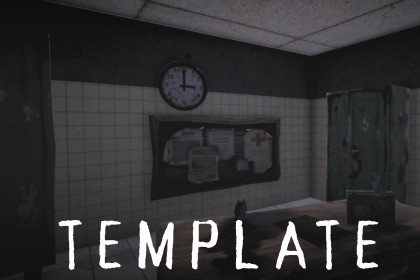
Modular horror gameplay system for Unity featuring raycast interactions, doors, keys, enemy AI, scares, pause, and UI—built for immersive, mobile-friendly horror games.🕯️ Modular Horror Game Interaction & Gameplay SystemCreate tense, immersive horror experiences without wrestling with messy trigger logic or reinventing core systems.The Modular Horror Game Interaction & Gameplay System is a production-ready framework built for Unity developers who want to focus on atmosphere, fear, and storytelling—not boilerplate code.Designed from the ground up for mobile and PC, this package replaces outdated auto-pickup and trigger-based mechanics with a clean, raycast-driven interaction system that feels deliberate, modern, and immersive.Every action is player-driven. Every interaction builds tension.🔦 One Button. Every Interaction.A single, intuitive interaction button controls:Picking up objectsCollecting keysOpening and closing doorsReading notes and documentsInteracting with radios and audio propsTriggering the final escapeThis makes the system perfect for mobile controls while remaining just as effective on PC and console.🚪 Intelligent Door & Key SystemNo more “all or nothing” key logic.Doors can:Require any number of keysDisplay exactly how many keys are missingOpen and close smoothlyPlay atmospheric door creaksBehave independently from the final exit doorThe exit door clearly communicates progress, building pressure as the player searches for the last remaining key.📜 Environmental StorytellingDeliver lore the right way.Notes and papers can be read in-game through a fullscreen UI that:Freezes gameplayPlays paper rustle soundsKeeps the player immersedPrevents accidental interactions behind UIPerfect for logs, warnings, diaries, and unsettling messages.😈 Horror-Focused Enemy AIEnemies aren’t just moving obstacles — they’re threats.Patrol, investigate, chase, and search statesVision-based detection (field of view + raycast)Hearing-based reactions to player movementClean, trigger-based kill systemJumpscare audio and camera shake on deathNo physics pushing. No janky collisions. Just controlled, cinematic horror moments.🎥 Impactful Horror FeedbackFear is in the details:Camera shake for kills and scripted scaresEnvironmental objects that fall when the player approachesLoud, positional sound cues to disorient and panic the playerEnemy jumpscare audio that hits instantlyThese small touches dramatically increase tension without heavy performance costs.⏸️ Proper Pause & Settings SystemA real pause system — not just Time.timeScale = 0.Fully freezes gameplay logicBlocks player input and AIBuilt-in settings menuAudio and graphics optionsMobile-safe UI workflow🛠️ Editor Utilities IncludedSpeed up your workflow with built-in editor tools:Batch-rename materials with _matBatch-rename textures with _textureSmall tools that save real development time.🚀 Built for ExpansionThis system is modular by design.Easily extend it with:Inventory systemsMultiple enemy typesSanity mechanicsStory triggersProcedural scaresAdditional interactablesUse it as a foundation for:Full horror gamesGame templatesPrototypesAsset Store projectsTechnical detailsFeaturesRaycast-based interaction system (single-button, mobile-friendly)Pickup system for objects and keys (no trigger-based auto pickup)Advanced door system (open/close, key requirements, creak sounds)Exit door with dynamic “keys remaining” prompt and win panelNote / paper reading system with fullscreen UI and soundRadio / audio interactablesAdvanced horror enemy AI (patrol, investigate, chase, search)Trigger-based enemy kill with jumpscare sound and camera shakeEnvironmental scare system (proximity-based falling objects)Proper pause & settings system (audio, graphics, logic-safe pause)Camera shake effects for scares and deathEditor tools for batch-renaming materials and texturesSupported platformsAndroidiOSSupported OSAndroid 8.0+iOS 13+Link to documentationIncluded in the packageAI-assisted tools were used during the development of this package to support the creative and production workflow, not to replace manual development.Specifically, AI was used for:Generating concept references for environment props, textures, and UI elements, which were then manually recreated, refined, or optimized for real-time use in Unity.Assisting with early visual ideation (such as mood, atmosphere, and layout references) to speed up iteration during the design phase.Helping draft placeholder text, prompts, and documentation outlines, which were later reviewed, edited, and finalized manually.All final assets included in the package (models, textures, prefabs, materials, scripts, scenes, and documentation):Were manually assembled, optimized, and integrated into Unity.Are original works or legally permitted content, fully compliant with Unity Asset Store guidelines.Do not contain copyrighted, restricted, or third-party content without proper rights or attribution.AI was used strictly as a tool for productivity and inspiration, while all technical implementation, optimization, testing, and final quality control were performed by the publisher.

