






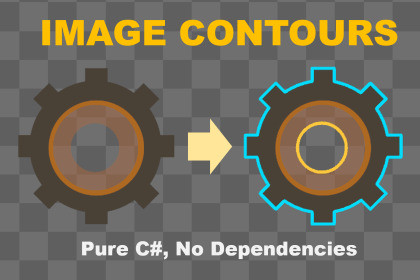
Extract contours (outlines) — outer shapes and holes — from textures. Pure C#, zero dependencies. Also provide: contour simplification, pixel-art vertices.Image Contours (Outlines) in Pure C# implements the Suzuki-Abe border following algorithm with Pure C#. The algorithm analyzes images and extracts both outer contours and inner holes, including their hierarchical relationships.In addition to contour detection, the package can alsosimplify the result to use fewer points to represent the same contours,convert contour pixels into vertices, which are useful when working with pixel art and grid-based geometry.The package is intended mainly for developers who need direct access to image shape data for rendering, tooling, or geometry generation. But the contour drawing components and samples might also be useful for artists and designers who need a simple tool to highlight sprite outlines.Typical Use CasesVisualizing contours (outlines) of sprites or texturesBuilding editor tools that operate on image shapesPreparing shape data for mesh generation, especially for pixel artExtracting regions for gameplay or AI systemsWhat’s IncludedCore contour detection implementationContour simplificationContour vertex constructionSample components for drawing:Contour linesContour verticesContour pixelsSample scenes with configurable parametersFull source code with XML and PDF documentationNUnit test casesCore FeaturesImplementation of the Suzuki-Abe border following algorithmSingle-pass contour detectionDetects both outer contours and hole contoursHierarchical contour structure with parent-child relationshipsOptional contour simplification to reduce point (pixel or vertex) countConfigurable pixel connectivity (4 or 8)Custom predicate support for foreground detectionBuilt-in alpha threshold detectionMip level support for Texture2DAutomatic coordinate conversion to Unity's Texture2D spaceAPI HighlightsContourDetector.FindContoursOpaque(): Detect contours from fully opaque pixelsContourDetector.FindContoursByAlpha(): Detect contours using an alpha thresholdContourDetector.FindContours(): Detect contours using a custom predicateContour.Simplify(): Remove points (pixels or vertices) that don't change the contour's shapeContour.Pixels: Access ordered contour pixel coordinatesContour.ToPixelArtVertices(): Convert contour pixels into vertices, assuming the image is pixel artContour.Vertices: Access ordered contour vertex coordinatesContour.BoundingBox: Compute the bounding rectangle of a contourContour.IsHole: Identify holes vs. outer contoursContour.Parent: Access contour hierarchyAbout Contour SimplificationCalling Simplify() removes collinear points along straight runs, without changing the extracted shape — fewer points to store or hand to a LineRenderer or PolygonCollider2D. Most useful for shapes with long straight edges; less useful for noisy, highly irregular boundaries. Available as a checkbox on the samples or a single method call in the API.About Pixel Art VerticesThe ToPixelArtVertices() method converts contour pixels into a sequence of vertices that represent the precise outline, assuming each pixel is a square.Vertices correspond to pixel corners, not centersOutput forms a continuous loop suitable for rendering or geometry useThis can be helpful when working with pixel art, especially sprites in very small sizes (such as 8x8 or 16x16), where contour pixels alone may not be sufficient to describe the visible shape.Sample ComponentsContourLinesDrawer: Draw contours in the scene using Unity's LineRendererContourPixelsDrawer: Draw contour pixels directly onto texturesContourVerticesDrawer: Draw contour vertices as dotsPlatform SupportWorks on all Unity platformsNo native plugins, shaders or external dependenciesCode & ExtensibilityWritten in clean, readable C#XML documentation includedSource code is fully accessible and can be modified to fit specific needsAI assistance was used during development for:Initial code generationDocumentation draftingUnit test generationAll generated content was reviewed and adjusted by the developer.The implementation was checked against the original Suzuki-Abe paper and tested across multiple scenarios.

