






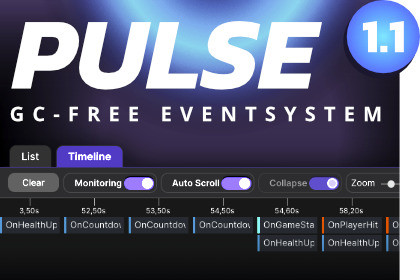
Pulse is a GC-free event system for Unity featuring live signal tracing, script + line tracking, timeline visualization, breakpoints, event buses, and full payload inspection.DOCUMENTATIONStop guessing where your events come from.Pulse is a GC-free event system for Unity with a built-in live debugger that shows exactly who sent a signal, who received it, and how it propagated through your game.No more digging through logs. No more guessing which system fired an event.** New in Version 1.1 **Serializable eventsAssign events in the inspector while still retaining zero garbage collection.Type-safe busesDefine static buses and select them via dropdown in the inspector.Key Features• GC-free event dispatch• Serializable events• Type-safe buses• Built-in live event debugger (PulseScope)• Timeline visualization of signal flow• Breakpoints for event dispatch• Multiple event buses• Simple and clean API• Designed for high-frequency gameplay eventsIn larger Unity projects, events quickly become difficult to track.Execution order becomes unclear.Call chains are hidden.Debugging often turns into guesswork.When something breaks, you’re left searching through logs and code trying to figure out who fired an event and why.Pulse solves this problem.Pulse combines a fast, allocation-free signal system with PulseScope, a powerful built-in debugger that lets you inspect your events in real time.You can see exactly what happens when signals are dispatched and how they propagate through your game.PulseScope – Built-in Event DebuggerPulseScope gives you complete visibility into your event system.See exactly:• Who raised a signal (script + line number)• Which object sent it• Who received it• Execution order of listeners• What payload was sent• When it happened• Signal flow visualized in a timeline• Breakpoints to pause on dispatchTrack signal chains instantly and understand complex interactions without relying on logs.Simple APIEmit a signal:Pulse.Emit(new OnPlayerHit(data));Subscribe to a signal:Pulse.Subscribe(OnPlayerHit);Use multiple event buses if needed:Pulse.Bus("Combat").Emit(new OnPlayerHit(data));Built for PerformancePulse is designed for high-performance gameplay systems.Zero garbage collection is achieved when monitoring in PulseScope is disabled.Monitoring is automatically disabled in builds, ensuring optimal runtime performance while still providing powerful debugging tools during development.Dispatch events at runtime with zero garbage collection when monitoring is disabled.High-performance, allocation-free signalsOrganize signals into separate buses for modular systems (e.g., Combat, UI, Inventory).Multiple event busesInspect signals in real time: who raised them, which objects sent and received them, payload data, execution order, and timestamp.PulseScope – Built-in live debuggerVisualize signal flow over time for easier debugging of complex chains.Timeline visualizationPause your game automatically when a specific signal is dispatched.Breakpoints for signalsSubscribe, emit, and organize signals in a few lines of code.Simple and intuitive APIPass custom data with signals.Directional payload supportMonitoring is automatically disabled in builds, ensuring zero runtime overhead.Designed for productionSubscribe globally or per bus.Flexible subscription systemKnow exactly in what order your listeners executed during a signal dispatch.Fast execution order trackingAI has been partially used for marketing texts and code improvements.

