






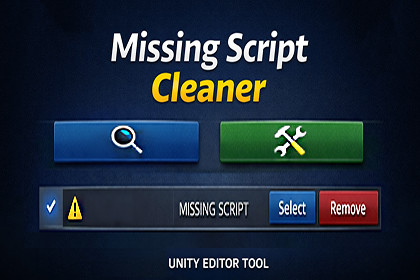
A modern Unity editor tool to safely find and remove missing scripts from scenes, prefabs, and selected objectsAztech Missing Script Cleaner is a lightweight yet powerful Unity Editor extension designed to help developers quickly identify and remove missing MonoBehaviour scripts from their projects.Missing scripts often appear after refactors, deleted components, or broken prefab references and can silently cause performance issues, warnings, and unstable behavior. This tool provides a clear and structured way to locate and clean them safely.Key FeaturesScan all prefabs in your project for missing scripts.Project ScanScan all currently open scenes, including nested hierarchy objects.Scene ScanQuickly scan only the currently selected GameObjects.Selected Objects ScanInstantly filter results by GameObject name, hierarchy path, or asset address.Search & FilteringRemove missing scripts individually or clean all results at once.One-Click FixAutomatically removes missing scripts when prefabs are imported.Auto-Fix on Import (Optional)Zebra-striped result list, fixed action buttons, scalable layout, and minimal footprint.Clean & Responsive UIAll operations support Unity’s Undo system.Safe & Undo-FriendlyDesigned for both small projects and large production pipelines, Aztech Missing Script Cleaner helps maintain project stability and keeps your hierarchy clean with minimal effort.Unity 2021.3 LTS or newerUnity Version:Editor-only (Windows, macOS, Linux)Platform:Not applicable (Editor Tool)Render Pipeline:None (Uses built-in Unity Editor APIs only)Dependencies:Undo & scene dirty handlingFeatures:Project / Scene / Selection scanningMissing MonoBehaviour detectionAuto-fix via AssetPostprocessorSearch & filteringFixed-layout result rowsMinimum window size & responsive UI

