






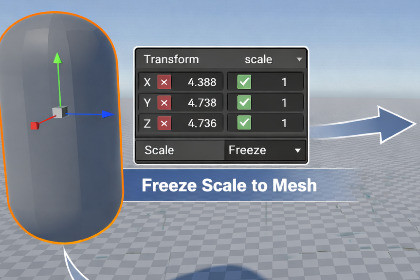
Editor tool for instantly applying scale and pivot changes to GameObjects, helping prevent common transform and rendering issues in Unity projects.Easy Apply Scale & Pivot is a lightweight Unity Editor tool designed to quickly and safely apply scale and pivot changes directly to selected GameObjects.In many projects, non-uniform scales or incorrectly positioned pivots can lead to issues such as incorrect bounds, shadow artifacts, physics problems, or inconsistent object behavior. This tool helps eliminate those problems by allowing you to apply transformations in a controlled and predictable way.The tool operates entirely inside the Unity Editor and does not affect runtime performance or build size.Key use cases:• Fixing problematic object scales after importing assets• Adjusting pivot positions without breaking object placement• Preparing assets for lighting, shadows, physics, and rendering• Cleaning up scenes before baking lighting or building the projectEasy Apply Scale & Pivot is intended for developers who want a fast, reliable way to keep their scenes clean and technically correct.• Applies scale and pivot changes directly to selected GameObjects• Works with single or multiple object selections• Editor-only tool (no runtime components)• Does not modify meshes externally• Safe to use with prefabs and scene objects• Compatible with Built-in Render Pipeline, URP, and HDRP• Tested with Unity 2021 LTS, 2022 LTS, and Unity 6

