






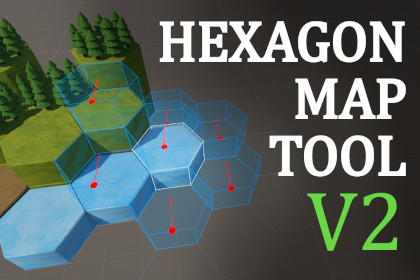
Create and paint 3D hex grid maps in Unity easily. Flexible, customizable, and ideal for strategy, RPG, and simulation games.Built-in, URP, and HDRP CompatibleThis tool works with Unity’s Built-in Render Pipeline, URP, and HDRP.Since it is an editor tool and does not rely on custom shaders, it works with any materials or prefabs configured for the selected render pipeline.Tested with Unity 6000.0.45f1 LTS+.Hexagon Map Tool V2 is a comprehensive Unity editor extension designed for fast and intuitive creation of 3D hexagonal grid maps. With a flexible grid system, customizable layers, and a powerful brush workflow, you can paint tiles, props, and decorations directly in the scene. The tool supports importing your own prefabs, creating custom palettes, and using advanced painting modes to speed up your level design process.Whether you are developing a strategy, RPG, tactics, or simulation game, Hexagon Map Tool V2 adapts to your needs. All features are highly customizable, including grid geometry, cell size, and layer collision rules. The tool includes advanced gizmo visualization, a catalog for managing instances, and import/export options for layers. Full localization (English, Spanish, Japanese) is provided. Designed for editor use only, it does not add runtime overhead to your builds.Features:Flexible and customizable 3D hexagonal grid system (orientation, geometry, cell gap)Layer system for organizing your map and configuring collisions between layersCustomizable brushes and drawing patternsMultiple painting modes (Default, Over Level, Flatten, Fill Volume)Instance catalog view and object replacement toolsLayer import and export functionalityAdvanced gizmo visualizationSupport for decorative propsFloor validation system (Requires Floor)Keyboard shortcuts for efficient workflowFull localization (English, Spanish, Japanese)Editor-only, does not add runtime overheadSupported OS:WindowsDocumentation:Hexagon Map Tool V2 - DocsAI was used to assist with translation/localization (Japanese), code review, and documentation generation. Throughout development, I leveraged AI to accelerate repetitive tasks, identify potential issues, and improve overall code quality. All core logic, architectural decisions, and final implementations were made and validated by me as the developer, ensuring the project meets high standards of quality and maintainability. The use of AI allowed for faster iteration, more robust localization, and comprehensive documentation, while all critical design and problem-solving remained under my direct supervision.

