






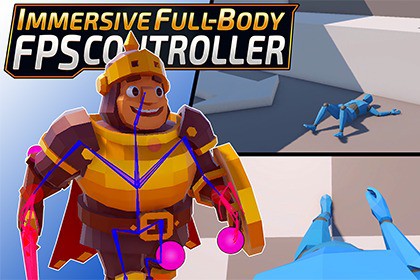
Flexible full-body FPS controller for Unity with IK, ragdoll, and realistic surface interaction. Production-ready codebase with example scene — designed for developers and customization.The asset is program code independent of RP.Immersive Full-Body FPS Controller is a flexible and extensible character controller for Unity, designed for first-person games with full-body awareness.The system is built on top of the Unity Character Controller and focuses on responsiveness, physical feedback, and realistic body behavior. It uses Animation Rigging to handle procedural animation and allows full control directly inside the Unity Editor.This asset is not a plug-and-play solution.It provides a solid and production-ready codebase that is intended to be integrated and adapted to your own project.Who this asset is forThis asset is a good fit if you:• are working on an FPS or immersive game• want a full-body controller with physical interaction• are comfortable with Unity and basic scripting• plan to customize animations and character setupWhat you get• Full-body FPS controller system• Example scene with working setup• Character prefabs• IK-based animation system• Ragdoll integration• Damage and impact reactionsKey features• Full-body awareness in first-person view• Advanced surface interaction (falling on stomach/back, slope handling)• Foot and leg positioning using IK• Smooth transitions between states (standing, crouching, falling)• Ragdoll-based character death• Observer / spectator camera mode• Lightweight and clean project structureSetup and workflowThe controller is designed to be integrated into your own project.You are expected to:• replace the character model• configure animationsTo simplify this process, tutorial videos are provided, covering:• installation• character setup• animation workflowVideo tutorial part 1: https://www.youtube.com/watch?v=-Bty7GURWcoVideo tutorial part 2: https://www.youtube.com/watch?v=STcSCjnHhNMRequirements:Unity: 6000.0.58f2 LTS or newerRender Pipeline: URP, HDRPDependencies: Animation Rigging, Input SystemInstallation:It is recommended to install Animation Rigging in advance via.Import the .unitypackage file into your Unity project.Allow the asset to modify the project’s physics layer settings.(If the layers were previously modified, manual adjustment may be required.)Main Parameters:All core controller parameters are located in the CharacterData component and are configured individually for each character.For advanced customization:Additional parameters can be found directly in the scripts. Most of them are implemented as constants and affect the entire controller logic.MaskLayer and AnimationLayer settings are located in the Singleton script.

