






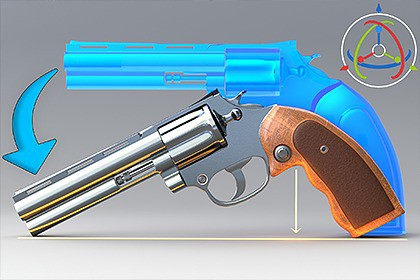
Tested in Unity 2022 and Unity 6. It should also work in other Unity versions.Easy Placement is an editor tool that ensures your objects always stay firmly attached to the ground on the vertical (Y) axis while you rotate or move them. Unlike other snapping tools, it uses Bounding Box mathematics to guarantee that the lowest point of your object always makes contact with the ground, no matter its rotation angle.Key Features:Anti-Slide Algorithm: Completely prevents unwanted sliding on the X and Z axes while rotating. The object remains locked in place on its own axis and only adapts to the ground.Dynamic Bounding Box Tracking: As you rotate the object, its bounding box is recalculated in real time, and the “lowest point” is snapped to the ground with millimeter precision.Pivot-Independent Operation: Works flawlessly regardless of whether the object’s pivot is centered, at the top, or offset outside the mesh.Raycast Visualization: Thanks to the active yellow laser guide in the Scene view, you can visually track exactly which point the system is using as a reference.Why Should You Use This Tool?Unity’s default tools usually rely on the object’s pivot point. When placing an object on a sloped surface or rotating it at an unusual angle, parts of the object often sink into the ground or float above it. Easy Placement solves this problem in real time, you focus on rotating the object, and it finds the ground for you.Technical Details:Lightweight and optimized code structure (works in Editor mode only).Fully compatible with Unity’s Undo system (revert your actions with a single click).Visual debugging (Debug) lines.Double your scene editing speed and say goodbye to “floating” objects!Due to performance reasons, it works only on objects that have a collision component. In other words, if the surface you move over does not have collision, it will not work.To prevent the editor from working unnecessarily, turn off the plugin when you’re not using it.It is not recommended to run it on very high-polygon objects.If there are multiple objects or collisions inside the prefab, you may encounter some transform-related errors.

