






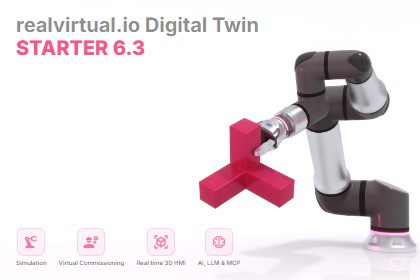
realvirtual.io - the open and extendable Digital Twin platform for industrial automation systems. Unity Verified Solution.realvirtual.io Starter: Industrial Simulation and Virtual Commissioning with Unity🚀 Empower Your Industrial Processes with UnityWith over 4000 licenses sold, realvirtual.io is the leading Unity Verified Solution for simulating and virtually commissioning industrial processes using Unity. Whether you're a machinery or automation company looking to leverage high-performance game technology for simulation, use Unity as a cutting-edge realtime 3D Human Machine Interface (HMI), or integrate AI and LLM capabilities into your workflows, realvirtual.io makes it easy to develop top-performing digital twins tailored to your needs.Want to understand the core concepts without getting lost in buzzwords? Unity has released a great free eBook that introduces the basics of Industrial Digital Twins:https://unity.com/resources/industrial-digital-twin-ebookYou can check out a WebDemo of our demo model here:https://realvirtual.io/demo/democell/🔧 Simplified Unity Interface for Engineersrealvirtual.io enhances Unity's interface to simplify the process for mechanical and automation engineers. It includes essential components for automation devices, such as drives and sensors, along with interfaces to connect these components with real-world automation controllers.⭐ Key Features🔹 Hierarchy View Extension: Visualize icons for Drives, Sensors, Interfaces, and Signal Values directly in the Unity Hierarchy.🔹 LogicStep Automation: Build complete automation sequences without writing code — serial and parallel containers, drive commands, signal control, sensor triggers, grip pick/place, delays, and more.🔹 Behavior Graph: Unity Behavior Graph nodes for drives, sensors, and signals — create automation logic visually using Unity's built-in visual scripting.🔹 Automation Scripts: Comprehensive scripts for Interfaces, Signals, Drives, Drive behavior models, Sensors, Gripping, Sources, and Sinks.🔹 FastInterface Framework: Create custom PLC interfaces with minimal code using the blueprint-based interface architecture.🔹 3D Scene Buttons: Interactive 3D push buttons, emergency stops, and handle switches for immersive operator panels.🔹 QuickEdit Overlay: Rapid component editing directly in the Scene View without switching to the Inspector.🔹 Component Validation: Extensible rule-based validation system that checks your automation setup for common configuration errors.🔹 Demo Scenes Browser: Categorized demo scene overview with one-click import — explore all features organized by topic.🔹 Render Features: Multi-Object Outline and Overlay render features for highlighting selected or important objects.🔹 realvirtual Base Component: Facilitates easy scene navigation with the mouse and saving of camera positions.🔹 Centralized Light and Visual Quality Settings: Simplify your setup for optimal performance.🔹 Runtime Environment Lighting (NEW in 6.3.4): The Environment Controller computes skybox ambient and reflection live at runtime, so scenes are correctly lit without baking; a new Tools > realvirtual > Settings > Remove Baked Lighting Folders utility safely removes the now-optional baked lighting folders.🔌 Interfaces Included🛠️ S7-TCPIP Interface: Direct connection to Siemens S7-300/400/1200/1500, Sinumerik, and Simotion (additional interfaces like OPC-UA available with realvirtual.io Professional).🛠️ igus Rebel Robot Interface: Seamless integration with Igus Rebel Robots.🤖 AI, LLM & MCP: AI Agent integration via Model Context Protocol — give AI agents like Claude direct access to your Unity Digital Twin.🎥 Get Started with Digital TwinsWith realvirtual.io Starter, you can develop a precise digital twin of your machine. Watch our YouTube channel for an overview of its functionalities:https://www.youtube.com/@realvirtualio🔍 Starter vs. Professional VersionThe Starter version includes an S7-TCPIP Interface for direct TCP connections to real Siemens Controllers (S7-300, S7-400, S7-1200, S7-1500, Sinumerik, and Simotion), an Interface to Igus Rebel Robots, and the full LogicStep automation system for building sequences without code.For a more comprehensive solution, consider upgrading to realvirtual.io Professional, which adds Robot Inverse Kinematics with path planning and offline Robot Program Export (ABB RAPID, KUKA KRL, Fanuc TP/LS, SEW, Wandelbots NOVA), CAD Import (STEP and 3MF) with CAD Updater and CAD Checker, 26 industrial interfaces (OPC-UA, PLCSim-Advanced, TwinCAT, Modbus, EtherNet/IP, robot controllers, and more), PathTracer motion visualization, Mesh tools, Multiplayer, and the full digital twin editing toolset.📚 Learn More and Get SupportVisit the realvirtual.io website for more information and check out the online documentation for detailed guidance.🛠️ Compatibility and LicensingOptimized for Unity 6 Long Term Support Version. Also compatible with Unity 2022 LTS. While most features work with newer versions, we recommend Unity 6 LTS for the best stability and extended support.🔒 License InformationThis asset is provided under a Custom End User License Agreement that supplements the standard Unity Asset Store EULA. It uses concurrent seat licensing — each license permits one individual to actively use the asset in Unity Editor at any given time. The asset may be installed on multiple computers, but simultaneous active users must not exceed the number of purchased seat licenses. Runtime builds and deployed applications are subject to standard Unity Asset Store EULA terms. Build servers, CI/CD systems, and automated pipelines do not consume seat licenses.For full license terms, refer to the LICENSE.md file included in the package.📜 External Third-Party LibrariesThis asset utilizes the following third-party libraries under various licenses:QuickToggle - MIT License, Sharp7 - MIT License, SpaceNavigator - MIT License, UnityRuntimeInspector - MIT License, NaughtyAttributes - MIT License, Ionic.Zip (DotNetZip) - Microsoft Public License, ExcelDataReader - MIT License, MathNet.Numerics - MIT License, websocket-sharp - MIT License, MQTTNet - MIT License, UnityIngameDebugConsole - MIT License, Material Design Icons - Apache License 2.0.For detailed license information, refer to the LICENSE.md file included in the package.══════════════════════════════════════════ TECHNICAL DETAILS — realvirtual.io Starter══════════════════════════════════════════──────────────────────────────────────────SUPPORTED UNITY VERSIONS──────────────────────────────────────────• Unity 6 LTS (6000.3) — recommended• Unity 2022.3 LTS — compatible──────────────────────────────────────────PLATFORMS──────────────────────────────────────────• Windows (Editor & Standalone)• Linux (Standalone)• WebGL (browser deployment)• macOS──────────────────────────────────────────PACKAGE──────────────────────────────────────────Standalone — no other realvirtual package required. Starter is the foundation that the optional realvirtual.io Professional add-on extends.──────────────────────────────────────────CORE COMPONENTS──────────────────────────────────────────• Drives & Drive Behaviors — linear/rotational motion with PLC signal integration• Sensors — proximity, measurement and raycast detection• MU, Source & Sink — material-unit lifecycle (spawn, transport, remove)• Transport — conveyor, transport surface, chain (Unity Splines), guided transport (AGV)• CAM, Kinematic, Joint & Group — cam discs, kinematic chains, grouped motion• Grip, Gripper, Fixer & Pattern — pick-and-place and part fixing• MaterialChanger, MUSwitcher, PartChanger, Cutter — change MUs at runtime• LogicStep Automation — code-free sequences (serial/parallel containers)• Behavior Graph & Unity Visual Scripting — visual automation logic• Drives Recorder — record and replay motions• PLC Signal System — PLCInput/PLCOutput Bool, Int, Float• FastInterface Framework — build your own PLC/robot/HMI interfaces• 3D Scene Buttons & Interaction — push buttons, e-stops, handle switches• QuickEdit Overlay — in-scene component editing• Component Validation — rule-based pre-play configuration checks• Demo Scenes Browser — categorized one-click demo import• Render Features — Multi-Object Outline & Overlay highlighting• Environment Controller — scene lighting, with Runtime Environment Lighting (NEW 6.3.4)• AI, LLM & MCP Integration — connect AI agents (e.g. Claude) to the digital twin──────────────────────────────────────────INTERFACES INCLUDED (2)──────────────────────────────────────────• S7-TCPIP — Siemens S7-300/400/1200/1500, Sinumerik, Simotion (via Sharp7)• igus Rebel — Igus Rebel robot integrationNote: OPC-UA, TwinCAT, EtherNet/IP, Modbus, robot controllers and 20+ more interfaces are available in realvirtual.io Professional.──────────────────────────────────────────DEMO SCENES (via Package Manager)──────────────────────────────────────────• Getting Started — conveyors, drives, sensors and MU handling• Drives — force drives, raycast limits, conditional drive control• Transport Systems — conveyor, transport surface, chain, guided transport (AGV)• Object Handling — gripping, MU manipulation, cutting, physics-based handling──────────────────────────────────────────DEPENDENCIES (auto-resolved via Package Manager)──────────────────────────────────────────Universal Render Pipeline · Burst · Mathematics · Collections · Input System · Cinemachine · Splines · TextMeshPro · Post Processing · Recorder──────────────────────────────────────────DOCUMENTATION──────────────────────────────────────────• Online documentation: https://doc.realvirtual.io• Video tutorials: https://www.youtube.com/@realvirtualio• Website: https://realvirtual.io

