






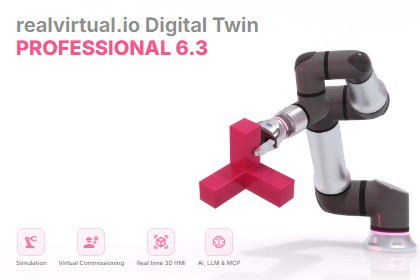
realvirtual.io Professional - the open and extendable Digital Twin platform for industrial automation systems. Unity Verified Solution.realvirtual.io Professional: Industrial Simulation and Virtual Commissioning with Unity🚀 Transform Your Industrial Processes with UnityWith over 4000 licenses sold, realvirtual.io is the leading Unity Verified Solution for simulating and virtually commissioning industrial processes using Unity. Whether you're a machinery or automation company looking to leverage high-performance game technology for simulation, use Unity as a cutting-edge realtime 3D Human Machine Interface (HMI), or integrate AI and LLM capabilities into your workflows, realvirtual.io makes it easy to develop top-performing digital twins tailored to your needs.Want to understand the core concepts without getting lost in buzzwords? Unity has released a great free eBook that introduces the basics of Industrial Digital Twins:https://unity.com/resources/industrial-digital-twin-ebookYou can check out a WebDemo of our demo model here:https://realvirtual.io/demo/democell/🔧 Enhance Your Unity Experiencerealvirtual.io Professional is an add-on to realvirtual.io Starter, extending it with advanced tools for robotics, CAD integration, industrial interfaces, and collaboration. realvirtual.io Starter is required as a separate package dependency.⭐ Key Features (Professional add-on)🤖 Robotics & Inverse Kinematics🔹 Robot Inverse Kinematics: Advanced 6-axis IK with Burst-compiled SIMD solvers, support for spherical and non-spherical wrist (collaborative) robots.🔹 IK Path Planning: Multi-target path interpolation with zone blending (Ueberschleifen) and configurable blend radius per target.🔹 IK Solution Picker: Stable solution list with a lowest-motion SMOOTH marker and per-solution max-axis-move (maxΔ); click to pin a configuration by joint angles so re-solves stay stable.🔹 Robot Program Export (Beta) (NEW in 6.3.4): Generate offline robot code from taught IK paths as ready-to-paste copy-paste templates — ABB RAPID, KUKA KRL, Fanuc TP/LS, SEW MOVI-C/MOVIKIT and Wandelbots NOVA. Axis-based or Cartesian output, live preview, Copy to Clipboard / Save File.🔹 Kinematic Tool: Simplify the process of defining kinematic chains for complex mechanical systems.🔹 Kinematic MU: Moving units with kinematic behavior for articulated transport objects.📐 CAD Integration🔹 CAD Link: Import CAD data with STEP and 3MF formats (Editor-only, Windows).🔹 CAD Updater: Automatically update CAD geometry when source files change.🔹 CAD Checker: Validate CAD data for performance issues, duplicates, and quality.🔹 Duplicate Finder: Identify and manage duplicate geometry in imported models.🛠️ Digital Twin Editing Tools🔹 Model Checker: Ensure simulation model quality and performance with automated improvement hints.🔹 Mesh Optimizer: LOD generation and mesh simplification for runtime performance.🔹 Mesh Combiner: Combine meshes for draw call reduction.🔹 Mesh Tools (NEW in 6.3.3): Mesh Separator splits combined meshes into individual islands; Auto-Correct Pivots recenters off-center mesh origins from CAD imports.🔹 Group Assignment Tool (NEW in 6.3.4): Assign GameObjects to groups by click, drag-paint, or Select-Connected flood-fill directly in the Scene View.🔹 Prefab Generator: Automated prefab creation from imported geometry.🔹 Collection Builder: Build reusable component collections from scene objects.🔹 Selection Window: Advanced selection and grouping of objects for scene management.🔹 Recent Items: Quick access to recently used assets and objects.📊 Visualization & Analysis🔹 PathTracer: Visualize object movement paths with speed-based coloring during simulation.🔹 Highlight System: Runtime object highlighting for interactive selection and feedback.🔹 Distance System: Connectable distance measurement between objects.🔹 Volume Tracking: Track and visualize volumetric data in your simulation.🔹 Contact Detection: Detect physical contacts between simulation objects.🔹 Statistics: Runtime statistics display for simulation performance analysis.🌐 Collaboration & Deployment🔹 Multiplayer: Multi-user collaboration with synchronized simulation state via networking.🔹 WebGL Template: Deployment-ready WebGL template for browser-based digital twins.🔹 Scene Selection: Advanced scene management and switching tools.📡 Signal Management🔹 Signal Manager: Centralized management and monitoring of all PLC signals in your project.🔹 Signal Force Sets (NEW in 6.3.4): Force boundary signals (voltage, e-stop, pressure, operating mode) to defined values for virtual commissioning; switch between test scenarios by applying or releasing named sets; monitor all active forces in a dedicated Signal Force Monitor window.📦 Requires realvirtual.io StarterThe Professional add-on requires realvirtual.io Starter as a separate package. Starter provides the foundation including:🔹 LogicStep Automation, Behavior Graph, signal/drive/sensor/grip system🔹 PLC-accurate drive behavior models (PROFIdrive, CiA 402, SEW MOVILINK, Festo FHPP …)🔹 S7-TCPIP and Igus Rebel interfaces🔹 AI, LLM & MCP integration🔹 FastInterface Framework, 3D Scene Buttons, QuickEdit, Component Validation🔌 Industrial Interfaces (all included in Professional)PLC & Automation Protocols🛠️ OPC-UA Client Interface: Open communication with various industrial systems.🛠️ TwinCAT ADS Interface: Beckhoff PLCs.🛠️ EtherNet/IP Interface: Rockwell/Allen-Bradley PLCs.🛠️ Modbus Master Interface: Industrial Modbus communication.🛠️ PLCSim-Advanced Interface: Siemens simulation tools.🛠️ Siemens SIMIT Interface: Co-simulation with SIMIT.🛠️ Shared Memory Interface: High-speed local communication.🛠️ UDP Interface: Lightweight data exchange.🛠️ MQTT Interface: IoT messaging protocol.🛠️ Websocket Realtime Interface: Low-latency bidirectional communication.🛠️ Winmod Y200 Interface: Winmod co-simulation.🛠️ Simulink Interface: MATLAB/Simulink integration.🛠️ Open Commissioning Interface: Standard open commissioning protocol.🛠️ Bosch Rexroth ctrlX CORE Interface: WebSocket realtime with device monitoring.🛠️ Festo AX / PLCnext Interface (Beta): Festo AX Controls running PLCnext Technology via RSC over TCP.Robot Controllers (live/online couplings — complemented by the offline Robot Program Export above)🤖 ABB RobotStudio Interface: Virtual and real ABB robot controllers.🤖 FANUC Interface: FANUC robot integration.🤖 Universal Robots Interface: UR simulator and real UR robots.🤖 Wandelbots NOVA Interface: Wandelbots robot platform.🤖 Denso Wave Interface: Virtual Robot Controller (Wincaps III) and real robots.🤖 KUKA Interface (Y200): KUKA.OfficeLite / WorkVisual / KUKA.Sim integration.🤖 KUKA iiQKA.OS2 VRC Interface (NEW in 6.3.4): Robot-in-the-loop coupling to the KUKA iiQKA.OS2 virtual/real controller via RSI Ethernet.🤖 KEBA Interface: KEBA robot controllers.🤖 Mitsubishi Interface: Mitsubishi robot integration.🤖 RoboDK Interface: Virtual industrial robot controllers.🤖 SEW MQTT Interface: SEW Motion Controllers (online via MQTT).🔍 Professional vs. Starterrealvirtual.io Professional is an add-on that requires the separate purchase of realvirtual.io Starter. Starter provides the core simulation framework with S7-TCPIP and Igus Rebel interfaces. Professional adds all advanced interfaces, CAD integration, robot inverse kinematics with offline program export, and the full digital twin editing toolset.📚 Learn More and Get SupportVisit the realvirtual.io website for more information and check out the online documentation for detailed guidance.🛠️ Compatibility and LicensingOptimized for Unity 6 Long Term Support Version. Also compatible with Unity 2022 LTS. While most features work with newer versions, we recommend Unity 6 LTS for the best stability and extended support.🔒 License InformationThis asset is provided under a Custom End User License Agreement that supplements the standard Unity Asset Store EULA. It uses concurrent seat licensing — each license permits one individual to actively use the asset in Unity Editor at any given time. The asset may be installed on multiple computers, but simultaneous active users must not exceed the number of purchased seat licenses. Runtime builds and deployed applications are subject to standard Unity Asset Store EULA terms. Build servers, CI/CD systems, and automated pipelines do not consume seat licenses.For full license terms, refer to the LICENSE.md file included in the package.📜 External Third-Party LibrariesThis asset utilizes the following third-party libraries (Professional add-on only, see Starter package for base libraries):RoboDK-API - MIT License, threemf - MIT License, LibUA (OPC-UA) - Apache License 2.0, libplctag.NET - Mozilla Public License 2.0, OpenCASCADE Technology - LGPL-2.1 with Open CASCADE Exception, UnityMeshSimplifier - MIT License, SDFTextureGenerator - MIT License, NativeWebsocket - Apache License 2.0.For detailed license information, refer to the LICENSE.md file included in the package.══════════════════════════════════════════════ TECHNICAL DETAILS — realvirtual.io Professional══════════════════════════════════════════════──────────────────────────────────────────SUPPORTED UNITY VERSIONS──────────────────────────────────────────• Unity 6 LTS (6000.3) — recommended• Unity 2022.3 LTS — compatible──────────────────────────────────────────PLATFORMS──────────────────────────────────────────• Windows (Editor & Standalone)• Linux (Standalone)• WebGL (via included template)• macOSNote: CAD Link is Editor-only (Windows) · Robot Inverse Kinematics is not available on WebGL.──────────────────────────────────────────PACKAGE DEPENDENCY──────────────────────────────────────────Requires realvirtual Starter (io.realvirtual.starter) 6.3.4 — sold separately on the Asset Store.──────────────────────────────────────────PROFESSIONAL COMPONENTS──────────────────────────────────────────• IK System — 6-axis inverse kinematics (Burst SIMD), path planning, zone blending, Solution Picker• Robot Program Export (Beta) — offline code from IK paths: ABB RAPID · KUKA KRL · Fanuc TP/LS · SEW · Wandelbots NOVA• CAD Link — STEP / 3MF import (OpenCASCADE kernel, Editor/Windows)• CAD Updater — geometry refresh from updated CAD files• CAD Checker — performance & quality validation• Mesh Optimizer — LOD generation & simplification• Mesh Combiner — draw-call reduction• Mesh Tools — mesh separation & CAD pivot auto-correction• Group Assignment Tool — scene-picking group assignment• PathTracer — motion path visualization (speed-based coloring)• Signal Manager — centralized signal overview• Signal Force Sets — force boundary signals to test scenarios + Force Monitor• Statistics — runtime performance analytics• Multiplayer — networked multi-user sessions• Highlight System — runtime highlighting & selection feedback• Distance System — connectable distance measurement• Volume Tracking — volumetric data visualization• Contact Detection — physical contact monitoring──────────────────────────────────────────INTERFACES — 26 TOTAL──────────────────────────────────────────PLC (15): OPC-UA · TwinCAT · EtherNet/IP · Modbus · PLCSim-Advanced · SIMIT · Shared Memory · UDP · MQTT · Websocket Realtime · Winmod · Simulink · Open Commissioning · Bosch Rexroth ctrlX CORE · Festo AX/PLCnextRobots (11): ABB RobotStudio · FANUC · Universal Robots · Wandelbots NOVA · Denso · KUKA (Y200) · KUKA iiQKA.OS2 VRC · KEBA · Mitsubishi · RoboDK · SEWPlus the offline Robot Program Export (ABB / KUKA / Fanuc / SEW / Wandelbots) — see Professional Components.──────────────────────────────────────────DEMO SCENES (via Package Manager)──────────────────────────────────────────• Robotics — IK path planning, zone blending, ABB IRB2400 + FANUC CRX (spherical & collaborative), Autonox robots, kinematic MU• Robot Interfaces — Denso, FANUC, KUKA, Universal Robots (UR20/UR30), RoboDK, Wandelbots NOVA• PLC Interfaces — OPC-UA, TwinCAT, Modbus, EtherNet/IP, MQTT, Siemens SIMIT, and more• Advanced Features — Multiplayer, statistics, volume tracking, distance connectors, scene selection──────────────────────────────────────────DEPENDENCIES (auto-resolved via Package Manager)──────────────────────────────────────────realvirtual Starter 6.3.4 (sold separately) · Universal Render Pipeline · Burst · Mathematics · Collections · Newtonsoft JSON──────────────────────────────────────────DOCUMENTATION──────────────────────────────────────────• Online documentation: https://doc.realvirtual.io• Video tutorials: https://www.youtube.com/@realvirtualio• Website: https://realvirtual.io

