






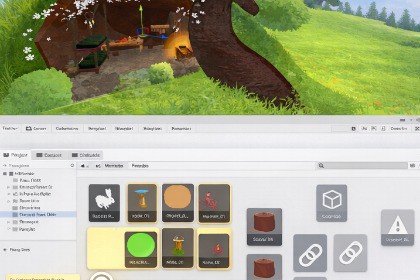
Transform your Unity workflow. Pin assets, GameObjects, notes, screen regions and links to visual boards. Organize complex projects with an intuitive canvas that keeps everything at your fingertips.How much time do you waste inside the Unity Editor every day?Clicking through folders. Searching for that one prefab. Hunting down a GameObject in a scene you opened last week. Re-reading the same note you wrote yourself.We built Pinwall to fix that. A visual board inside the Unity Editor. Pin assets, prefabs, GameObjects, notes, URLs, folders, screenshots. One place. Multiple walls per project.A visual organization tool for Unity Editor. Pin project assets, scene objects, screenshot regios, notes, and web links to customizable boards. Arrange everything on an infinite canvas with intuitive drag-and-drop controls. Keep your workflow organized across multiple boards.Unity Version: Unity 6 LTSType: Editor Extension ToolPlatform: Windows, macOS(Didn't Tested but it should work), LinuxFile Size: ~150 KBDependencies: None (built-in Unity packages only)REQUIREMENTS• Unity 6 LTS or newer• UI Toolkit (Unity's modern UI system)FEATURES• Multi-wall organization system for project notes and references• Drag & drop Unity assets, scene GameObjects, screenshot regions and folders• URL link management with automatic web title fetching• Resizable rich text notes with color coding• Infinite pan & zoom canvas (0.2x - 5.0x)• Optional snap-to-grid (customizable size)• Multi-selection with align and distribute tools• Context menu operations (align, distribute, arrange)• Automatic scene tracking and GameObject persistence• Asset preview caching for instant performanceCOMPATIBILITY✓ All scripting backends (Mono, IL2CPP)✓ All render pipelines (Built-in, URP, HDRP)✓ Git/version control friendly (YAML format)✗ Not compatible with Unity 2021/2022/2023PERFORMANCE• Window opens in <100ms• 60 FPS during pan/zoom operations• Tested with 500+ nodes per wall• Memory footprint: 5-10 MB

