






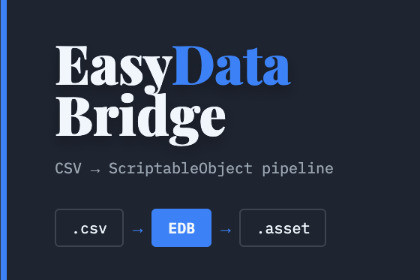
Stop manually syncing spreadsheets. EasyDataBridge generates typed C# classes and ScriptableObject databases whenever a CSV changes — no custom importers, runtime parsing, or boilerplate.EasyDataBridge — Your Spreadsheet, Straight Into UnitySave your spreadsheet. Your type-safe Unity database updates automatically.EasyDataBridge turns CSV spreadsheets into strongly typed C# data models and fully populated ScriptableObject databases — automatically, entirely inside the Unity Editor.No custom importers. No runtime CSV parsing. No repetitive data classes or manual Inspector entry.THE PROBLEM IT SOLVESEvery game has data: items, enemies, dialogue, abilities, levels, loot tables, shop inventories, cards, quests, and more.Managing that data manually in the Unity Inspector is slow and difficult to maintain. Writing your own CSV parser solves only part of the problem — you still need data classes, import logic, asset resolution, database population, schema updates, and ongoing maintenance.EasyDataBridge handles the complete workflow!Programmers integrate the generated database into the game, while designers and other team members can continue managing data in Excel or Google Sheets.HOW IT WORKS1. Define your columns in a CSV: Name:string, Damage:int, Icon:sprite2. Add the CSV anywhere inside your Unity project.3. EasyDataBridge automatically generates a strongly typed C# data class and a populated ScriptableObject database.4. Access your data with one line of code: db.GetEntry("FireSword")Save changes to the CSV and the generated Unity data updates automatically.If you remove the CSV, EasyDataBridge safely removes only the files it generated for that CSV, leaving the rest of your project untouched.BUILT FOR YOUR WORKFLOWDesignersManage large collections of items, stats, abilities, and configuration data using a familiar spreadsheet workflow.ArtistsReference Prefabs, Sprites, AudioClips, and Materials directly from CSV columns without manually dragging every asset into the Inspector.ProgrammersSkip repetitive data classes, custom importers, runtime parsers, and synchronization code. The complete source code is included.Indie DevelopersBuild and maintain data-heavy games without first developing an internal data pipeline.Small StudiosLet designers own and update game data without repeatedly asking a programmer to modify classes or populate ScriptableObjects.KEY FEATURESAutomatic CSV DetectionEasyDataBridge watches your Unity project for CSV changes. Save your CSV and the corresponding generated data updates automatically — no import button required.Automatic Code GenerationStrongly typed C# data classes are generated and updated automatically when your CSV schema changes.ScriptableObject Database GenerationEach CSV is converted into a fully populated native Unity database that is ready to reference from your game.Full Type SupportSupports int, float, string, bool, custom Enum types, List, and arrays.Smart Unity Asset LinkingReference Prefabs, Sprites, AudioClips, and Materials directly from CSV columns using their project paths. EasyDataBridge resolves and links them automatically.Native Enum SupportUse your existing custom Enums as CSV column types. Imported values appear as proper Enum fields in the Unity Inspector.Editor-Only ProcessingCSV conversion and code generation happen entirely inside the Unity Editor. Your game uses native .asset data with no runtime CSV parsing overhead.Built-In Helper MethodsGenerated databases include convenient methods such as:• GetEntry("Name") — case-insensitive entry lookup• GetRandomEntry()• GetAllNames()Built-In Inspector GuidanceEvery generated database includes a ready-to-use code example and a one-click Copy Code button directly in the Inspector.Open Source CSVJump directly from a generated database to its source spreadsheet using the Open Source CSV button.Flexible SchemasUse as many data columns as your project requires. Whether an item has 3 fields or 30, EasyDataBridge generates, types, and populates them automatically.Safe Automatic CleanupRemove a source CSV and EasyDataBridge removes only the files generated for that CSV.Full Source Code IncludedNo DLLs and no black boxes. Read the code, modify it for your project, or extend the workflow to fit your needs.IDEAL FORRPGs · TCGs · Roguelikes · Tower Defense · Strategy Games · Puzzle Games · Platformers · Simulations · Inventory Systems · Dialogue Systems · Any Data-Heavy Unity ProjectCOMPATIBILITY• Unity 2020.3 and newer• Built-in Render Pipeline, URP, and HDRP• Editor-only processing• Full source code included• No DLLsFeatures:CSV to ScriptableObject: One-click data import.Code Generation: Automatically creates C# classes and data containers.Asset Linking: Links Prefabs, Sprites, and AudioClips via path.Type Safety: Supports Enums, Arrays, Int, Float, String, and Bool.No Runtime Overhead: Data is baked into assets; no parsing at runtime.Source Code: Full C# source code included.Supported OS:Any OS that runs the Unity Editor (Windows, macOS, Linux).Documentation:PDF Manual included in the package.Online Documentation: Link

