






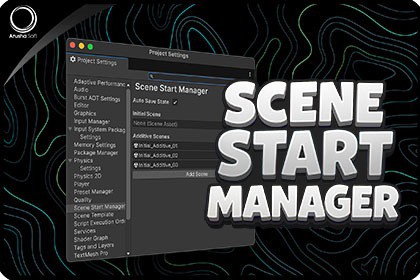
Start Play Mode from your Init scene and restore your previous scenes automatically. Simplify your multi-scene workflowPlayFromInit – Scene Start Manager is a lightweight Unity Editor utility that simplifies multi-scene workflows.When you press Play, it automatically loads your chosen Init (Bootstrap) scene, then restores your previous scenes and selections when Play Mode stops — no manual switching or lost work.It’s fully customizable through Project Settings, letting you:Choose a Start SceneEnable or disable Auto Save before PlayManage Scene Sets for additive workflowsRestore open scenes and active selections automaticallyThis tool is ideal for any Unity project with multiple scenes — from mobile and console games to complex UI or live-ops systems.Compatible with Unity 2017.x – 6.x LTS, it’s editor-only, safe, and performance-friendly.Focus on development, not scene juggling — PlayFromInit keeps your Play Mode workflow clean, fast, and reliable.AI Description:No AI tools were used in the creation of this package. All content, including code, assets, and documentation, was created and authored manually.Play from Init Scene – Always start Play Mode from your chosen Init or Bootstrap scene.Auto Save Option – Choose whether to auto-save current scenes before switching.Automatic Restore – After exiting Play Mode, all previously open scenes and selections are restored.Scene Sets Support – Save and load additive scene setups (optional).Safety Prompts – Warns before discarding unsaved changes, with a “Don’t show again” option.Toolbar Quick Toggle – Instantly switch between “Play From Init” and “Play From Current.”Project Settings Integration – Configure everything from a dedicated Project Settings panel.Validation Checks – Detects missing or invalid Start Scenes in Build Settings.Supports Enter Play Mode Options – Works even with domain reload disabled.Editor-Only and Lightweight – No runtime code; adds less than 300ms overhead on scene switch.Version Compatibility – Works with Unity 2017.x – 6.x LTS.

