






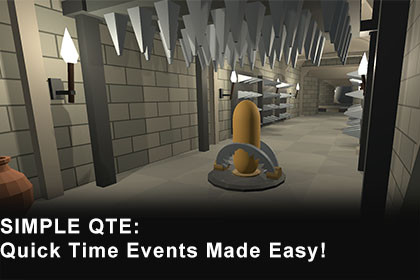
Simple QTE: Quick Time Events made easy w/ JSON support & 11 QTE types
Living Failure
$43.99
(no ratings)
Jump AssetStore
Complete QTE framework with 11 QTE event types including composites.
JSON import/export for AI-generated configs.
Works with Legacy & New Input System.
Zero allocation, ScriptableObject-based design.Simple QTE is a Quick Time Event framework for Unity with 10 atomic QTE types and a Composite type for sequences, parallel challenges and branching outcomes.Create configs in the Inspector, import JSON, or construct them through the runtime API. Use Timeline integration for interactive cutscenes, or tick QTEInstance from your own game loop.QTE TYPES• Press: respond within an Open or Windowed timing window.• Hold: accumulate held time with configurable release behavior.• Mash: repeated presses in Count or Value mode.• PingPong: time button presses against an automatically moving cursor.• StickWaggle: alternate direction along a configured axis.• Directional: match a target direction within angle tolerances.• LinearPrecision: align a cursor on a bar and hold the target.• RotationalPrecision: align a dial and hold the target angle.• Arc: trace a directed arc between two angles.• RotationalSpin: accumulate rotations in a specified direction.• Composite: combine steps, parallel All/Any blocks and success/failure branches.AUTHORING AND INTEGRATION• ScriptableObject configs with type-specific custom inspectors.• Timing windows, randomized limits, optional deadlines, speed curves and timing phases.• Release/decay settings on the QTE types that support them.• Timeline tracks and clips with window previews, slow motion, freeze and outcome branches.• Preset keyboard/gamepad adapters, configurable keyboard mapping and custom IQTEInputSource support.• JSON config import/export, validation, and schemas for manual or AI-assisted authoring. Referenced InputAction assets must already exist; generated configs still need review.• Runtime lifecycle events including OnStarted, OnTick, OnCompleted and OnCancelled.PLAYABLE DEMOS• Dungeon: doors, bridge mechanisms, precision locks, traps, a balance beam and a boulder chase.• Capsule Clash: timed attacks, combos, charge, guarding, parries and counters.• Demo Hub: choose either demo, open help and set shared prompt/audio preferences.• Keyboard/controller prompts, Guided/Minimal modes, menu audio and retry flows.• The hub UI is saved in the scene and editable before Play. A hub generator is included in the existing Simple QTE editor menu.DOCUMENTATION AND SOURCE• 11 HTML documentation pages, C# source and a changelog with upgrade notes.• Five sample JSON collections: Action Adventure, Cinematic Drama, Survival Horror, Composite Boss Finale and Edge Cases.• Runtime API and Timeline examples for wiring QTEs into your own game presentation.SETUP AND VERIFIED ENVIRONMENTRecorded demo checks used Unity 6000.3.8f1 on Windows, Built-in Render Pipeline, Input System 1.18.0, Timeline 1.8.10 and Unity UI (uGUI) 2.0.0.Install Input System for the shipped assembly references; Timeline and uGUI are needed for the complete demo package. Enable Input System Package (New) or Both for the demos.The core preset adapter also contains a legacy backend, with project axis setup needed for legacy gamepad right-stick/trigger input. The demos use the New Input System directly.Earlier Unity versions, other build targets and demo materials in URP/HDRP are not verified for this update. Core evaluation does not choose a render pipeline; demo presentation does.SUPPORTIncluded HTML documentation and example scenes; contact livingfailuregames@gmail.com for support.VERIFIED DEVELOPMENT ENVIRONMENTUnity 6000.3.8f1; Windows Editor; Built-in Render Pipeline.Input System 1.18.0; Timeline 1.8.10; Unity UI (uGUI) 2.0.0.These are recorded development versions, not a tested minimum-version matrix.Other Unity versions, player platforms and URP/HDRP demo materials remain unverified.DEPENDENCIESThe core SimpleQTE assembly explicitly references Unity.InputSystem.The supplied demos require Input System and uGUI; Dungeon also requires SimpleQTE.Timeline and Unity Timeline.Enable Input System Package (New) or Both to play the demos. Both selects the New backend in QTEInputAdapter.Timeline integration has package-presence guards, but Dungeon directly references it: retain Timeline for the full package.Legacy backend code exists; gamepad right stick and triggers require configured project axes. Legacy D-pad button presets have keyboard fallback only.CONTENTS10 atomic QTE types plus Composite, each with a config class, evaluator and custom inspector.Timeline runtime/editor integration; JSON config import/export and schema authoring tools.Dungeon and Capsule Clash demos, an editable hub scene, shared menus and procedural audio.11 HTML documentation pages and CHANGELOG.txt.Five sample JSON files under Assets/SimpleQTE/TestData.CORE APIQTEInstance(config) validates the config and creates its built-in evaluator.QTEInstance(config, evaluator) accepts a custom evaluator; this overload does not perform the config validation of the default constructor.Start() initializes evaluation; Tick(float deltaTime, IQTEInputSource input) advances it.Cancel() stores a Cancelled result and fires OnCancelled, not OnCompleted.Dispose() clears event subscriptions; it does not destroy the config or emit cancellation.States: Created, Running, Completed, Cancelled, Disposed.Events: OnStarted, OnTick(float, float), OnCompleted(QTEResult), OnCancelled,OnSuccess, OnPerfect, OnFail, OnTimeout, OnActivePhaseStart, OnFirstInput.OnCompleted fires before the matching result-specific event.OnActivePhaseStart is the end of prompt lead-in, not necessarily a Windowed success-window opening.OnTick uses evaluator elapsed time and time progress; task completion uses evaluator-specific state.QTEInstance.ElapsedTime sums caller deltas without applying evaluator speed curves.INPUT SOURCE API:bool IsPressed(); bool IsHeld(); bool WasReleased();float GetAnalogValue(); Vector2 GetDirection(); int GetPressedInputIndex();IsPressed means a fresh press; IsHeld means held state.GetDirection preserves analog magnitude. Keyboard direction is digital.Preset mappings use QTEKeyboardMap; FaceEast defaults to B, not Escape.Composite Inherit bindings use the caller's input source; Preset/InputAction bindings create their own sources.RESULTS AND SCORINGQTEResult is immutable: ResultType, Accuracy, Score, ElapsedTime.Result types: Perfect, Success, Fail, Timeout, Cancelled.IsSuccess includes Perfect and Success; IsFailure includes Fail and Timeout.There is no separate PartialSuccess enum value.Accuracy is evaluator-specific (timing, speed, alignment or completion), not a calibrated cross-type difficulty measure.Score is provided by the evaluator; QTEResult does not apply a score curve.Result elapsed time follows the evaluator's semantics and is not a universal wall-clock measurement.COMPOSITE BEHAVIORAtomic steps, parallel All/Any blocks, delays and explicit branches.Completed parallel items latch completion; a completed Hold is not monitored while remaining items finish.Default fail routing follows failOnFirstError; explicit failure branches override it.Success and Perfect use the same success branch; there is no separate perfect-only branch.Failed attempts contribute zero to completion accuracy; recovered runs cannot be Perfect.Preset input conflicts are checked. InputAction physical-binding conflicts are not.JSON AND AUTHORINGWrapper, single-entry and bare-array JSON formats.Atomic configs import before composites regardless of file order.Referenced configs resolve by name; use unique names and review unresolved references.InputAction assets are referenced by name/path and are not embedded in exported JSON.Curve keyframe tangents and weights are preserved; curve wrap modes are not serialized.Inspect import completion messages: a created asset can be reported INVALID.Menu: Window > Living Failure > Simple QTE > Import-Export Wizard.Additional schema, documentation and demo hub commands live under that same Simple QTE menu.PERFORMANCE AND OWNERSHIPEvaluators are stateful C# objects without MonoBehaviour inheritance and take caller-supplied deltas.Initialization, composite transitions, input-source creation, UI and event handlers can allocate.There is no blanket zero-allocation or all-platform performance guarantee.Pause by skipping Tick calls; zero delta alone still permits input processing.Destroy runtime-created config copies when no longer used. Avoid mutating project config assets during gameplay.STARTING POINTOpen Assets/SimpleQTE/Demo/Hub/Scenes/Demo_Hub.unity and enter Play.For a code-only example, use Documentation/getting-started.html.For player builds that include the demos, add all three demo scenes to the build profile.This package utilized Claude AI for code generation assistance and documentation drafting.However, all AI-generated content was thoroughly human-reviewed, modified, and validated over three months of intensive development. No AI-generated code or documentation was used without significant human modification and verification.All technical decisions, architecture choices, and design patterns were made by me, as the sole developer of this project. Each component was rigorously tested and painstakingly refined through both automated and manual testing procedures under my oversight.As the developer, I firmly acknowledge and attest that the completed final product represents extensive human oversight, testing, refinement, and validation.I take full responsibility for the technical integrity and overall quality of the codebase, and I affirm that the AI-generated elements were only used as a tool for assistance, not as a substitute for human expertise.

