






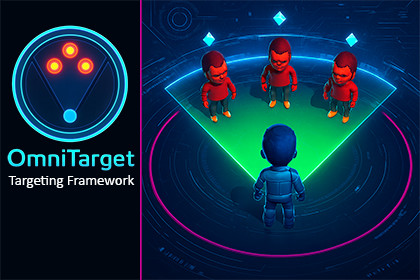
Modular targeting framework for spells, abilities, interactions, and gameplay systems. Supports cones, AoE, arcs, validation, and 2D/3D physics.OverviewOmniTarget is a modular gameplay targeting framework for Unity, designed to handle target selection logic in a clean, reusable, and extensible way.Instead of rewriting targeting code for every spell, ability, interaction, or mechanic, OmniTarget allows you to define targeting behavior through configuration and respond to selection events in your own gameplay code.OmniTarget handles how targets are selected.You decide what happens to them.Use CasesOmniTarget can be used for a wide range of gameplay systems, including:Spell and ability targeting (cones, AoE, arcs, chained effects)Interaction systems (cycling or selecting objects within view or range)Grenades and projectile targeting with arc-based selectionBuffs, debuffs, and area-based effectsTower defense targeting logicNavMesh path and area visualizationAny mechanic requiring consistent and reusable target selectionThe framework is gameplay-agnostic and supports both real-time and turn-based designs.Core ConceptTargeting behavior in OmniTarget is defined using a modular configuration asset that specifies all selection parameters, such as:Maximum and effective rangeAffect angle and selection shapeTarget and obstacle layersSelection origins and offsetsVisualization and helper prefabsBased on this configuration, OmniTarget automatically sets up the full selection process, manages its lifecycle, and loads or unloads required assets as needed.Selection Lifecycle & Gameplay FeedbackOmniTarget exposes the complete selection lifecycle through C# interfaces, allowing you to respond to each stage of the process, including:Selection start and updateTarget enter and exitCustom validation checksSelection confirmation or rejectionThis enables you to:Filter targets (ally-only, enemy-only, custom rules)Highlight valid or affected targetsPrevent selection based on resources or state (mana, cooldowns, conditions)Apply effects when selection is confirmedTrigger UI, animations, or audio feedbackModular & Extensible ArchitectureEach major aspect of targeting is implemented as a separate, replaceable module and assigned via configuration:Selection Shapes (cones, circles, arcs, custom shapes)Selection Area VisualizationSelection Origin TrackingSelection Activation TrackingAll systems are built using interfaces and overridable methods, allowing you to extend or replace functionality without modifying core framework code.Input-Agnostic DesignOmniTarget does not depend on a specific input solution.You can use:Unity Input System (old or new)RewiredCustom input logic by implementing a simple interfaceThis makes the framework suitable for keyboard, mouse, gamepad, or hybrid control schemes.Production-ProvenOmniTarget was developed and battle-tested in a fully featured RPG featuring:Real-time and turn-based combatMouse, keyboard, and gamepad supportComplex abilities, interactions, and edge casesThe result is a refined and robust targeting framework built to support polished gameplay systems.Key FeaturesDefine targeting behavior through configuration instead of custom selection code. Modular Targeting FrameworkCones, circles, ranges, arcs, multi-origin selections, and custom shapes. Supports Common Targeting PatternsStart, update, validation, confirmation, rejection, and cleanup. Full Selection Lifecycle HandlingApply custom rules to accept or reject targets.Target Validation & FilteringHighlight targets, show affect ranges, and visualize selection areas using native Unity tools. Built-In Visualization HooksWorks with Unity Input System (old or new), Rewired, or custom input handling. Input-Agnostic ArchitectureOverride or extend behavior without modifying core framework code. Extensible & Interface-Driven DesignSupports multi-AoE abilities, chained effects, and complex targeting setups. Multiple Selection Origins2D and 3D Physics SupportProduction-Proven in a Full RPGDetailed Demo Scenes IncludedIncluded Demo ScenesSpell CastingThird-Person InteractionTower DefenseNav-Mesh Path visualizationEach demo includes example scripts demonstrating how to respond to selection events and apply gameplay logic.Out of ScopeOmniTarget focuses exclusively on target selection and selection flow.The following are intentionally not included:Gameplay logic such as damage calculation, healing, buffs, debuffs, or AI behaviorFinished combat systems or complete ability implementationsAdvanced or custom visualization shadersComplex mesh generation or UV-driven visualization workflowsThe framework provides events, interfaces, and example integration code, but final gameplay behavior and advanced visuals are expected to be implemented by the user.Third Party Asset Notice:Demo files use kenney animated characters 3 packageWhich is released under CC0 1.0 Universal licensehttps://creativecommons.org/publicdomain/zero/1.0/Please check A Third-Party Notices.txt for more information.Modular Targeting FrameworkDefine targeting behavior through configuration instead of custom selection code.Supports Common Targeting PatternsCones, circles, ranges, arcs, multi-origin selections, and custom shapes.Full Selection Lifecycle HandlingStart, update, validation, confirmation, rejection, and cleanup.Target Validation & FilteringApply custom rules to accept or reject targets.Built-In Visualization HooksHighlight targets, show affect ranges, and visualize selection areas using native Unity tools.Input-Agnostic ArchitectureWorks with Unity Input System (old or new), Rewired, or custom input handling.Extensible & Interface-Driven DesignOverride or extend behavior without modifying core framework code.Multiple Selection OriginsSupports multi-AoE abilities, chained effects, and complex targeting setups.2D and 3D Physics SupportProduction-Proven in a Full RPGDetailed Demo Scenes Included

