






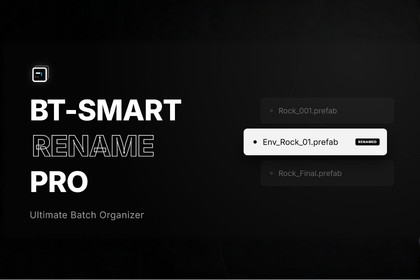
Save hours with this Project Organizer renaming tool. Features Regex, Undo History, Presets, and Smart Type Detection. Organize thousands of file safely in seconds. Optimize your project workflow now.BT-Smart Rename Pro is a high-performance batch renaming tool engineered for professional Unity developers who value their time.Stop wasting hours manually organizing your project. Whether you are dealing with hundreds of imported textures, reorganizing a massive prototype, or enforcing strict naming conventions for your team, BT-Smart Rename Pro handles it safely and instantly.Why BT-Smart Rename Pro?Unlike standard renaming tools, this asset is built with Safety and Performance as core pillars. It features a custom Undo History system that persists even after Unity restarts, and a virtualized UI rendering engine capable of handling thousands of file without freezing the editor.Key Features:Advanced Search & Replace: Supports standard text replacement and full C# Regex for complex pattern matching.Smart Type Detection: Automatically analyzes asset types (Textures, Materials, Audio, etc.) and applies industry-standard prefixes (e.g., T_TextureName, M_MaterialName) with a single click.Recursive Scanning: deeply scans selected folders and subfolders to process entire directory structures at once.Conflict Detection: Prevents errors by checking for duplicate names or invalid characters in real-time.Persistent History: Includes a robust History & Undo system that logs batch operations, allowing you to revert changes safely at any time.Safe Workflow:Live Preview: See the "Before" and "After" status of every file before applying changes.Variable Support: Dynamic tags for [Date], [Project], [Parent], and [Extension] to create automated naming structures.Preset System: Save your complex Regex patterns and naming rules as Presets to reuse them across different projects.Format Conversion: Instantly convert filenames to PascalCase, camelCase, snake_case, or UPPERCASE.Technical Details:Optimized Core: Uses efficient caching and UI virtualization to ensure smooth performance even with 10,000+ assets selected.Non-Destructive: Operations are previewed first; nothing changes until you click Apply.Plug & Play: No setup required. Works immediately after import via BT Tools > BT-Smart Rename Pro.Compatibility:Suitable for all game genres and project types (2D, 3D, VR/AR, Mobile).Compatible with Unity 2021.3 and higher.About the Developer: We create optimized, life-saving tools to help developers focus on what matters: making great games.Technical detailsVirtualization Engine: Custom IMGUI virtualization system renders only visible rows, allowing the tool to handle selection of 10,000+ assets with zero frame drops.Persistent Undo System: Unlike Unity's standard undo, our custom JSON-based history manager (stored in the Library folder) allows you to revert batch operations safely, even after an Editor restart.Smart Auto-Tagging: contextual awareness for over 10 Unity asset types (Textures, Materials, Audio, Prefabs, Scripts, Shaders, etc.).Recursive Scanning: Deep folder analysis capability to process complex directory structures in a single pass.RegEx Integration: Full C# System.Text.RegularExpressions support for complex pattern matching and replacement.Dynamic Variables: Context-aware tags including [Date], [Project], [Parent], [Extension], and [Original].Conflict Resolution: Real-time pre-validation checks for file system collisions, invalid characters, and empty names.Preset Architecture: Serialize and save renaming rules to EditorPrefs, sharing configurations across multiple projects on the same machine.Full Source Code: 100% C#, well-commented, and organized in a modular structure (Core, Operations, Utils) with Assembly Definitions included for build safety.Dependencies: None (Pure Unity Editor API). Compatibility: Unity 2021.3 LTS and higher.

