






Multiplayer FPS Framework – Weapons & Game Modes
YOUSSET Studios
$38.50
(no ratings)
Jump AssetStore
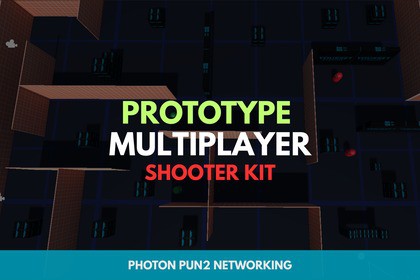
Build multiplayer games faster with Teams, FPS & Top-Down modes, a modular weapon system, and custom game mode support for rapid prototyping.Multiplayer FPS FramFramework is a complete multiplayer shooter template for Unity that helps you build and prototype online games in minutes. Whether you're creating an FPS or Top-Down shooter, this project provides a solid, production-ready foundation with modular systems that are easy to customise and expand.Designed for indie developers, hobbyists, and professional studios alike, this template removes the complexity of multiplayer development by providing networking, player controllers, weapons, game modes, lobbies, and team systems out of the box. Instead of spending weeks building core gameplay systems, you can focus on creating your unique game.Core Features[Online Multiplayer]Build and launch multiplayer games quickly with a complete networking solution powered by Photon PUN 2.Fast room creation and joiningQuick Match supportTeam balancingReady Lobby with map selectionReal-time synchronization of players, weapons, health, and scoresCompatible with the latest Photon PUN 2[Team-Based Gameplay]Everything you need to create competitive multiplayer matches.Red vs Green team gameplayAutomatic team assignment and balancingLive score trackingMatch countdown and end-game detectionConfigurable team sizes[FPS & Top-Down Controllers]Choose the gameplay style that best fits your project.Includes fully networked player prefabs for both:First-Person ShooterTop-Down ShooterEach player includes:Character ControllerShooter SystemHealth SystemPlayer ManagerMultiplayer synchronizationEasily configurable controls[Modular Weapon System]Create new weapons in minutes without writing additional gameplay code.Features include:Scriptable Object-based weapon creationCustom weapon icons and prefabsAdjustable damage, fire rate, ammo, reload speed, and rangeMuzzle flash and visual effects supportNetwork-synchronised shooting and reloadingSimply add the WeaponAttachment component to new weapon prefabs[Game Modes & Maps]Expand your game without modifying core systems.Create maps using Scriptable ObjectsEasily add new game modesScene management includedSpawn point managementBuilt-in Team Deathmatch modeComplete match flow with countdowns and score tracking[Ready Lobby System]A complete multiplayer lobby ready to use.Create or join custom roomsConfigure teams before the matchSelect maps and game modesLive player listsTeam score displayQuick Match support[Modular Architecture]Built to grow with your project.Clean and organised project structureEasy to customise and extendReplace or upgrade individual systems independentlyWell documented with step-by-step guidesCompatible with Unity 2022.3 and newer[Input System Support]Supports both:Unity Input SystemLegacy Input ManagerSwitch between either input solution with ease.Plug & PlayGetting started only takes a few minutes.Import Photon PUN 2.Enter your Photon App ID using the PUN Wizard.Open the included sample scenes.Press Play and start testing multiplayer immediately.From there, you can quickly create new weapons, maps, game modes, and player experiences using the included modular systems.Why Choose Multiplayer FPS Framework ?Building a multiplayer game from scratch can take weeks or even months. This template removes that barrier by providing the essential systems already integrated and working together.Instead of spending your time building networking, player controllers, weapon systems, lobbies, or game modes, you can immediately begin designing levels, creating content, balancing gameplay, and developing your own unique multiplayer experience.Whether you're building a prototype, a commercial project, or learning multiplayer game development, Starter Multiplayer Shooter gives you a flexible, scalable, and professional foundation that dramatically accelerates development while remaining easy to customise.Go from idea to a playable multiplayer shooter in minutes—not weeks.SupportFor support or questions:yousseftq77@gmail.comUnity Requirements:Unity 2022.2.3f1 or laterPhoton PUN 2 (latest version) – required for networkingSupported Platforms:Windows, macOS (Editor testing)Mobile platforms supported via Photon PUN 2 (requires input customization)Included Systems & Features:1. Multiplayer System (Photon PUN 2)Room creation, join, quick match, and team assignmentMasterClient-based game flow controlTeam balancing, dynamic player count adjustmentScore tracking with custom room propertiesAutomatic end-of-match detection and victory screens2. Player Prefabs:Components: FirstPersonController, ShooterSystem, Health, PlayerManagerFPS Player: Assets/Multiplayer Shooter Template/Core/Player/Resources/FPS_Player_1.prefabComponents: TopDownController, ShooterSystem, Health, PlayerManagerTop-Down Player: Assets/Multiplayer Shooter Template/Core/Player/Resources/TopDown_Player_2.prefabFully networked movement, rotation, shooting, and health synchronizationSupports sprint, crouch, slide, and camera bobbing (FPS)3. Weapons System:Scriptable Object-based weapon creation: define prefab, name, icon, and statsVisual Effects (VFX) prefab and spawn pointWeapon stats include:Damage, Fire Delay, Reload Time, Fire DistanceAmmo count, Max Ammo, default ammoPrefabs require [WeaponAttachment] script for integrationFully networked shooting, including reloading, ammo sync, and VFX4. Game Modes & Maps System:Scriptable Object-based map & mode creationAssign scene name, icon, mode name, and spawner prefabTeam management, countdown timers, game start/stopScore tracking and winning conditionsDynamic UI updates for teams and scoresPrebuilt GM___TeamManager.prefab handles:5. Lobby System:Room creation with custom name, team size, and selected map/modeJoining existing rooms and quick match supportTeam lists and score updates via UI (TMP Text)6. UI Components:Dynamic team score and player list displayCountdown and game state textEnd-game screen for winning teamHighlighter system for selectable UI elements7. Networking & Synchronization:PhotonView-based ownership and RPC calls for weapon handling and player actionsCustom properties for teams, scores, and room/game stateFull sync of health, ammo, and gameplay events9. Input systemSupports Native Input and New Input System8. Documentation & Extensibility:Comprehensive PDF documentation includedCustomizing player controls and statsGuides on adding:WeaponsMaps & game modesModular scripts allow easy swapping, extension, and customizationFolder Structure:Assets/Multiplayer Shooter Template/Core/Weapons/Base/Data – weapon Scriptable ObjectsAssets/Multiplayer Shooter Template/Core/Maps/Base/Data – map Scriptable ObjectsAssets/Multiplayer Shooter Template/Core/Player/Resources – player prefabsAssets/Multiplayer Shooter Template/Core/Managers/Prefabs – GM & team manager prefabsAdditional Notes:Photon PUN 2 must be imported before using the template.Add your Photon App ID via PUN Wizard (Window → Photon Unity Networking → PUN Wizard) for online play.Modular and ready-to-use systems allow you to create new weapons, maps, or game modes without writing new network code.Some scripts were organized only by AI assistance for clarity, but all were fully written, tested, and polished by Yousset Studios.

