






Fullscreen Editor Play Mode - Support the Dev Edition
Rowlan
$5.50
$16.50
67%OFF
(no ratings)
Jump AssetStore
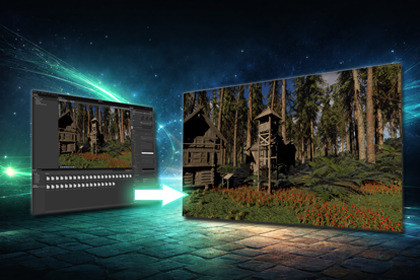
Fullscreen Game View inside the Unity Editor during Play Mode. Useful if you need to make a quick video for e. g. Youtube without having to wait for a build to finish.OverviewFullscreen Game View inside the Unity Editor during Play Mode. Useful if you need to make a quick video for e. g. Youtube without having to wait for a build to finish. No build required. Unity had a fullscreen mode a few Unity releases ago and removed it for several reasons. This solution aims at being a workaround to not having a fullscreen mode at all.Free vs Support EditionThe Free and the Support Edition are identical. I just enjoy coding and creating tools and provide my workflow for the awesome Unity Community. The Support Edition is available in case you find the asset useful for your workflow and you would like to support the developer.EditionsFullscreen Editor Play Mode - FREEFullscreen Editor Play Mode - Support EditionQuick Start1. Import the package2. Enter Play Mode3. Press F11That's it. Press F11 again or Escape to return to the normal editor. You can adjust key bind and auto fullscreen mode via editor preferences.FeaturesThe asset provides the following features:Fullscreen during editor play mode - hides Unity Editor UI (menus, toolbar, status bar, window tabs) and covers the Windows taskbar or macOS DockZero-overhead rendering - the original Game View is redirected to an unused display, so there is no double-rendering performance costToggle with a single key - press F11 to enter or exit fullscreen instantly during Play Mode. Press Escape to exit without stopping playAuto-fullscreen on Play - optionally enter fullscreen automatically every time you press Play, configurable via the Tools menu or PreferencesConfigurable keybinds - change the toggle and exit keys in editor preferencesStats and Gizmos preserved - overlay states from your Game View are carried over to the fullscreen windowCross-platform - support for Windows (Win32) and macOS (Objective-C runtime)New Input System - uses the Unity Input System package for key detection. Compatible with projects using the new Input System exclusively or alongside the legacy Input ManagerClean architecture - separated Runtime and Editor assemblies with proper assembly definitions. Nothing is included in your buildsSafety fallback using Reset menu optionFull source codeNo DLLLimitationsThe asset uses plain Unity means, as such it is limited to what Unity provides as API and also regarding compatibility.RequirementsUnity 6.000.40+ (required for hiding the Game View toolbar via the internal showToolbar property)Input System package installed and enabledPlatformsWindows (Win32 API for taskbar coverage)macOS (Objective-C runtime for Dock/menu bar coverage)CreditsMany thanks to Lars Steenhoff for testing the macOS version and for his continuous and valuable contribution of ideas.Instead of trying to strip the Unity window's OS-level decorations (which leaves Unity's internally-rendered menus and toolbar visible), Fullscreen Game View creates a second Game View as a borderless popup window. This popup has no Unity chrome at all - no title bar, no menus, no tabs, no status bar. Platform-native APIs then force this window above the OS taskbar (Windows) or Dock and menu bar (macOS) for edge-to-edge coverage.

