






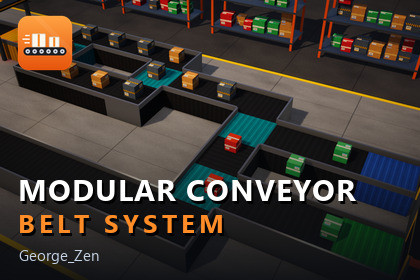
Modular conveyor belts that connect themselves: sorting, splitting, merging and storage, with events, editor snapping, a runtime sandbox and a step-by-step tutorial.Build working conveyor lines in minutes. Drop modules next to each other and they connect by themselves - no manager object, no manual wiring. Parcels move, wait, split, merge, get sorted by type and are stored or released, all out of the box.Ideal for factory, logistics, warehouse, tycoon and simulation games, and for any project where things need to travel along a line.MODULES• Straight, Corner (left and right), Splitter, Smart Splitter, Joiner, Multi-Joiner, Pauser, Loader and Unloader - 10 ready-to-use prefabs• Smart Splitter routes parcels by type (Generic, Fragile, Heavy, Perishable), with an optional strict mode• Multi-Joiner merges busy lines through a FIFO queue• Pauser holds parcels for a set time and can be started and stopped at any moment• Loader and Unloader move parcels into and out of a ParcelStorage, so lines can loop foreverBUILT FOR REAL PROJECTS• Automatic connections through trigger overlaps - rebuild lines even during Play mode• Back-pressure: a blocked line backs up one module at a time and never loses a parcel• Event-driven waiting: a jammed line costs nothing per frame• Events on every module (ParcelEntered, ParcelExited, ParcelBlocked, ParcelRouted) and on storages, plus a ConveyorEvents component to wire them in the Inspector without code• Easy to extend: write your own module by overriding a single methodEDITOR TOOLS• Auto snap: drop a module near another and it snaps into place, turned to continue the flow• Optional grid snap• Connection overlay in the Scene view: connected, near miss and open exits at a glance• Validate Scene: finds setup mistakes and links straight to the object• Inspector with inline validation and live runtime stateFOUR SCENES INCLUDED• Menu - start screen to open every scene• Tutorial - a 14-step guided tour with live examples, hands-on tasks and C# snippets• Showcase Demo - a complete parcel sorting facility that runs by itself, with live stats• Sandbox - build your own lines in Play mode: place, rotate, connect and drop parcelsALSO INCLUDED• Parcels with type, size and weight, player pick-up / place / drop and hover highlighting• Works with the Input System and the legacy Input Manager• Full C# source code with XML documentation, in its own namespace and assembly definitions• Documentation: overview, conveyor types, setup guide and API referenceRequires Unity 6000.3 or newer and the Universal Render Pipeline (URP).• Unity 6000.3 or newer (tested on 6000.4)• Render pipeline: Universal Render Pipeline (URP). The materials use URP/Lit; Built-in and HDRP projects need the materials converted.• Input: Input System package or legacy Input Manager (both supported)• Dependencies: none for the core runtime; the demo scenes use TextMeshPro and uGUI (com.unity.ugui)• 10 conveyor prefabs + ParcelStorage + parcel prefabs• 4 scenes: Menu, Tutorial, Showcase Demo, Sandbox• 47 C# scripts (17 runtime, 7 editor, 23 demo), about 5,700 lines, full source• Namespace ConveyorSystem; assemblies ConveyorSystem, ConveyorSystem.Editor, ConveyorSystem.Demo• Low-poly modules built from primitives; textures 512 x 512 or smaller• Kinematic, transform-driven movement (no physics forces on the belt)• Documentation in Markdown: overview, conveyor types, setup guide, API reference

