






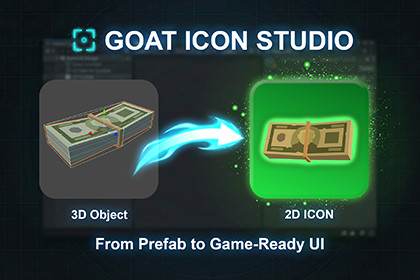
Create game-ready 2D icons from 3D prefabs in seconds. Batch export, animation capture, multi-object setup, and real-time preview.Create game-ready 2D icons from your 3D prefabs directly inside the editor.GOAT Icon Studio is designed to speed up your UI workflow by turning models into clean, production-ready icons in seconds — no external tools, no manual screenshots.Generate single icons or entire icon sets with a fast and intuitive workflow. Everything is handled inside the editor, so you can focus on creating, not exporting.KEY FEATURES• One-Click Icon Generation (Single & Batch)• Animation-Based Capture (choose the perfect pose)• Multi-Object Composition (combine multiple assets into one icon)• Real-Time Preview (rotate, zoom, and frame with mouse control)• Flexible Backgrounds (transparent, color, gradient, or image)• Shader-Based Outline & Glow Effects• Adjustable Lighting (color, intensity, angle)• High-Quality PNG Export (ready for UI use)• Auto Sprite Setup (drag & drop ready)USE CASESPerfect for:• Inventory systems• RPG & strategy UI• Card and item icons• Shop and marketplace assets• Character portraitsSave hours of manual work by generating icons in bulk and building complete icon sets in minutes.Ideal for creating UI icons, sprites, and visual assets from 3D prefabs with a fast and flexible workflow.Type:• Editor Window ToolInput / Output:• Input: 3D Models (Prefabs or Scene Objects)• Output: High-quality PNG icons• Automatic Sprite setup (Texture Type: Sprite (2D and UI))Rendering & Compatibility:• Compatible with Built-in, URP, and HDRP• Pipeline-independent output (standard PNG)Core Features:• Single & Batch Icon Generation• Animation-Based Icon Capture (frame selection)• Real-time Preview (Zoom, Rotate, Pan)Visual Customization:• Adjustable lighting (intensity, color, angle)• Flexible backgrounds (transparent, solid, gradient, image)• Shader-based outline (stroke) system• Built-in glow effectsExport Settings:• Custom resolution support• Custom save location• High-quality PNG outputPerformance & Workflow:• Fast batch processing for large icon sets• Stable and consistent rendering results• No external dependencies requiredAI tools were used only to assist the development process, including brainstorming, workflow planning, UI/UX refinement, and documentation writing.All code, functionality, and final implementation were manually created, reviewed, and tested by the developer.No AI-generated assets, code, or runtime content are included in the package.

