






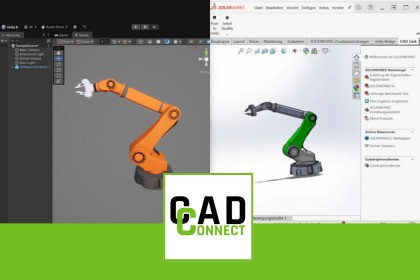
Transfer engineering CAD data (e.g. from Solidworks) into Unity using CAD_CONNECT, bridging CAD workflows and real-time 3D environments.CAD_CONNECT is a powerful Unity Editor extension that enables the transfer of CAD data (e.g. from Solidworks) directly into real-time 3D projects. Designed for engineers, developers, and XR creators, it allows you to bring complex CAD models into Unity quickly, reliably, and without unnecessary friction.CAD_CONNECT focuses on a robust and efficient CAD workflow to ensure compatibility, stability, and high-quality results across a wide range of engineering data sources. Whether you are building a digital twin, an interactive product configurator, or an industrial training application, CAD_CONNECT ensures that your engineering data flows smoothly into your Unity project.With CAD_CONNECT, you save time, reduce errors, and unlock the full potential of your SWX CAD data inside Unity.Unity Editor extension with an integrated CAD import workflow (e.g. Solidworks)Supports SWX 2022 or laterPreserves assembly hierarchy and material assignmentsEfficiently handles large and complex assembliesCompatible with Unity LTS versions (2021.3+, 2022.3+, 6.0+)*This asset includes third-party components governed by their respective licenses. A complete list of all included third-party libraries and their licenses is provided inside the package.CAD models must be provided in licensed SWX software. Transferring these models requires a compatible and licensed CAD application like Solidworks.CAD_CONNECT is an independent tool and is not affiliated with or endorsed by any CAD software vendor.

