






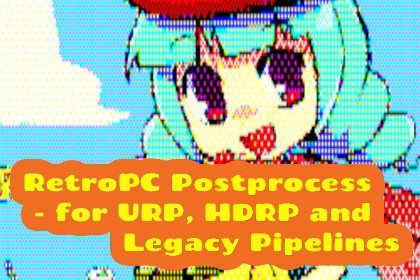
Retro PC Postprocess - for URP, HDRP and Built-in Pipelines
Yuichi Higuchi
$5.49
(no ratings)
Jump AssetStore
Retro PC-style post-process filter. Available in URP, HDRP, and Built-in pipelines. Lightweight performance, it runs smoothly even on mobile devices, rendering with palette and halftone patterns.This asset tested at Unity 2021, 2022 built-in pipeline and URP, and Unity 6 built-in pipeline and URP and HDRP. Other pipeline is not tested.Applying this filter produces a retro PC-style visual effect using a limited palette and halftone patterns.It can also draw outlines on 3D objects, creating a classic CG-like atmosphere.The appropriate palette is selected based on the framebuffer color before filter application. Intermediate colors are generated using halftone patterns from this palette and then rendered.The setup method differs between URP, HDRP, and Legacy (Built-in) pipelines, but the same shader is used, achieving the same effect.Customizable Postprocess ParametersThe following are parameters for RetroPCFeature, RetroPCPostprocess, and RetroPCPostprocessHDRP.When using URP, use the parameters of RetroPCFeature, and for Legacy (Built-in), use those of RetroPCPostprocess.For HDRP, use the parameters of the Volume Profile asset.Enable PostprocessPost-Processing Functions: ON/OFFPixel WidthPixel width ratio(Set to less than 1 for vertically elongated dots)Pixel HeightPixel height ratio(Set to less than 1 for horizontally elongated dots)Output HeightVertical pixel resolution for screen output(Horizontal resolution is calculated based on screen aspect ratio and Pixel Width, Pixel Height)LUT TextureAssign the LUT texture output by PaletteCreator.Palette TextureAssign the palette texture output by PaletteCreator.GammaGamma correction value applied before converting the original screen color to a paletteBrightnessLuminance correction value applied before converting the original screen color to a paletteOutline ModeEdge Detection Mode[None] = No outline[Depth] = Outline based on depth information[Depth and Normal] = Outline based on depth and normal informationOutline ThresholdMinimum value for edge detection(Increasing this value ignores minor depth differences)Outline StrengthAmplification value for edge detection(Increasing this value slightly strengthens faint lines)Outline ColorThis color is processed via the palette before display, so it is not shown directly.Bloom ThresholdThreshold for softening the outline of areas illuminated by bloom.Since high-brightness information is lost in the frame buffer, setting a value greater than 1 has almost no effect.It's best to set a value close to 1 and check if it looks good.If you don't want to thin the outline, setting it to 1.5 is recommended.Filtering is essentially a single pass, but when using contour lines, an additional pass is required to draw depth or depth and normal information.I used AI to generate the original 2D images for the sample data and to consult on the code design approach for the sample scenes.

