






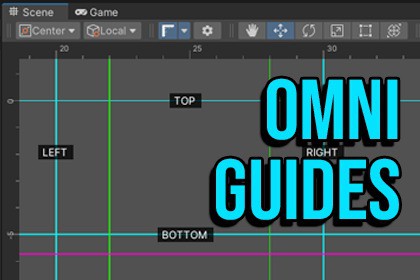
OmniGuides: Professional Layout Tool (Rulers, Grids, Snapping & Alignment)
itsMakingThings
$11.00
$17.59
37%OFF
(no ratings)
Jump AssetStore
Photoshop-style rulers & automated guides for Unity. Features high-precision snapping, grid & bounds generators, pixel/unit modes, and robust profile management for perfect 2D & 3D layouts.This is an Editor-Only toolBring the precision of graphic design software directly into your Scene View.OmniGuides is the ultimate layout assistant for Unity developers, designers, and artists. Stop guessing coordinates and start aligning objects with professional accuracy. whether you are building complex UI menus or laying out 3D environments, OmniGuides provides the visual structure you need.🚀 WHAT’S NEW IN v2.0Smart Snapping: High-precision magnetic snapping with a smart "breakaway" system (use Ctrl/Cmd+Alt to snap to guide).Automation Generators: Instantly create grids or wrap guides around object bounds.Normalized Offsets: New 0-1000 label system ensures your notes stay visible regardless of window size.Unity Overlay Support: Full integration with the modern Scene View Toolbar for a seamless workflow.✨ KEY FEATURES⚡ Powerful AutomationBounds-Based Generator: Instantly create guides around any GameObject. Supports Renderers, Colliders, and specialized RectTransform logic for UI work.Grid Generator: Create complex layouts for X, Y, and Z axes with a single click. Includes controls for gap, count, offset, and global center points.🖥️ Unity Units & Pixel ModeDual Display: Switch rulers and inspector values instantly between Unity World Units and Pixels.Custom PPU: Define your Pixels Per Unit setting to ensure UI layouts match your canvas perfectly.📐 Infinite Rulers & Smart SnappingDrag-to-Create: Pull guides directly from the ruler bars just like in Photoshop or Illustrator.Magnetic Snapping: Objects snap to guides with 4-decimal precision.2D & 3D Support: Seamlessly switch between 2D lines and 3D "Laser Walls."📂 Professional OrganizationRobust Profile System: Store unlimited layouts as ScriptableObject profiles for easy team sharing and version control.Group Management: Organize guides into color-coded layers (e.g., "Safe Zone," "Character Rig") with individual visibility toggles.Custom Labels: Add text labels to guides with adjustable font sizes and normalized offsets.🛠️ Built for PerformanceZero Lag: Implemented with a cached bounds system to ensure smooth performance even in the most complex hierarchies.Native Feel: Designed to look and feel like a core part of the Unity Editor.Unity Version: Requires Unity 2022.3.22f1 or higher (uses UnityEditor.Overlays).Type: Editor Tool (Scene View Overlay).Compatibility: Unity 2022.3.22f1+ (Tested on LTS versions), and Unity 6+.Dependencies: None (Uses native Unity UI Elements & IMGUI).Runtime Impact: Zero. (Editor-only tool; guides do not build to the final game).Files: Includes C# source code and documentation PDF.Data: Layouts saved as lightweight .asset files (ScriptableObjects).For coding support and documentation

