






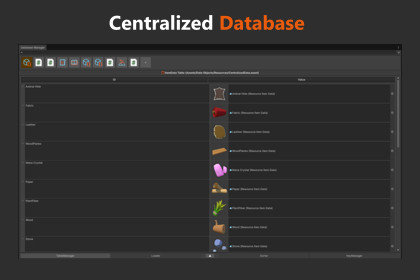
CentralizedDatabase enhances your Unity workflow with centralized asset tables, flexible key generation, and quick runtime access to all your project’s data.Take control of asset references in Unity with CentralizedDatabase, a powerful system for managing ScriptableObjects, prefabs, materials, audio assets, and more, all through a clean, unified editor window. Designed to eliminate broken references, simplify asset lookups, and standardize naming conventions, this tool brings structure and clarity to any project.Official Websitegamecodeassets.com -------------------------------------------------------------Why Choose CentralizedDatabase?Centralized Asset ManagementStop hunting for assets and start accessing everything from one place. Create and manage AssetTables that automatically track your assets by unique keys, ensuring a clean and reliable workflow.Streamlined Editor WorkflowThe Database Manager window provides an intuitive layout with flexible viewing modes, icon previews, and powerful key-generation tools—making asset organization fast, visual, and efficient.Consistent Key GenerationAvoid mismatches and accidental duplicates with a highly customizable key-generation system. Use prefixes, suffixes, asset metadata, or fully custom providers to create the naming convention your project needs.Runtime-Ready AccessBuilt-in helper classes allow you to retrieve any asset or table at runtime with a single line of code. Perfect for inventories, ability systems, configuration data, or any content-driven workflow.-------------------------------------------------------------Highlighted FeaturesAsset TablesOrganize assets into searchable, dictionary-like tables with automatic or custom keys.Advanced Key ManagerGenerate keys using prefixes, bodies, suffixes, or custom providers. Override default rules and enforce your own naming style across the entire database.Visual Database WindowToggle icons, previews, and control layout density with three display modes: Large, Small, and Compact.Safe & Error-ResistantBuilt-in diagnostics detect common issues like missing types, broken references, duplicate CentralizedData assets, or misplaced Resources folders—offering one-click fixes.Runtime Helper ClassFetch assets or entire tables instantly with CentralizedDatabase.GetAsset() or TryGetAsset(). Cache references for optimized lookups.Editor-Only ImplementationAll organizational and tooling logic runs in the editor, keeping builds clean and lightweight. Runtime code only handles asset lookup.-------------------------------------------------------------Feature BreakdownAssetTables & OrganizationEasily create tables for any asset type and have them auto-filled. These tables work like dictionaries, letting you quickly find assets by key and access them as UnityEngine.Object or as specific types. It’s a clean way to keep large projects organized and consistent.Key Manager SystemBuild custom naming rules for your assets using prefix, body, and suffix parts. You can mix your own text with data pulled from the asset or table, and if you need fully custom logic, your scripts can generate their own key components through optional interfaces.Customizable Window LayoutChoose how the Database Manager looks: large for previews, small for balance, or compact to see as much as possible. You can also switch between icons, previews, or both depending on what helps you work faster.Error Detection & Auto-FixingThe tool warns you about common setup issues, like missing tables, missing CentralizedData assets, or script renames, and offers quick Fix buttons whenever possible.

