






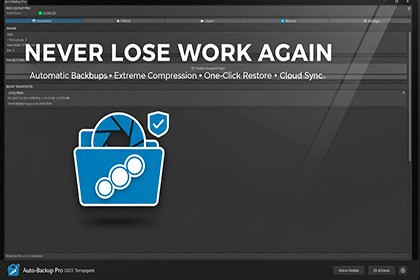
Never lose work again! Automatic, incremental backups with cloud sync (Google Drive, Dropbox, OneDrive), smart deduplication, and instant restore.🛑 STOP LOSING HOURS OF WORK!Auto-Save & Auto-Backup Pro is the ultimate safety net for Unity developers. Whether it's a crash, a corrupted scene, or an accidental deletion, this tool ensures you can restore your project to any previous state with a single click.Unlike simple version control, Auto-Backup Pro runs silently in the background, creating optimized snapshots of your work without interrupting your flow.✨ KEY FEATURES✅ Automatic Background Snapshots Set it and forget it! usage. The tool automatically backs up your project every X minutes (fully configurable).✅ Smart Incremental System Don't waste space! We only back up files that have changed. Combined with Smart Deduplication, this reduces storage usage by up to 90% compared to traditional backups.✅ ☁️ Cloud Sync Integration Sleep easy knowing your work is safe off-site. Automatically upload backups to:Google DriveDropboxOneDriveincludes auto-upload and restore capabilities!✅ Instant One-Click Restore Mess up a script? Delete a prefab by mistake?Full Project Restore: Roll back everything to a specific point in time.Partial Restore: Restore only specific files or folders (e.g., just your Scripts/ folder).Live Preview: See exactly what changed before you restore.✅ 🚀 Extreme PerformanceMulti-threaded Compression: Backups run on background threads, ensuring zero editor lag.Efficient Handling: Handles large projects (gigabytes of assets) with ease.Crash Recovery: Detects improper shutdowns and offers to recover the last snapshot immediately upon restart.🛡️ SAFETY FIRSTSafety Lock: Automatically creates a "Safety Backup" before any restore operation, so you can't accidentally overwrite good data.Ignore System: customizable .backupignore to skip large, unnecessary build files or temp folders.Don't wait for a crash to wish you had a backup. Get Auto-Save & Auto-Backup Pro today and develop with confidence!Supports: Unity 2020.3 LTS and newerPlatform: Windows, macOSCompression: High-performance ZIP algorithmsSource Code: Full C# source code includedStorage: External (outside Assets folder)AI coding assistants were used to help write boilerplate code, documentation, and marketing descriptions. All generated content was reviewed, tested, and refined by the developer to ensure quality and correctness.

