






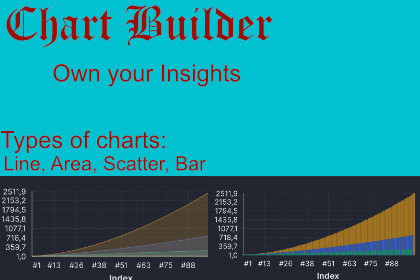
A lightweight and flexible tool for visualizing clean, customizable charts directly within the Unity Inspector with minimal setup.
Easily integrate data visualization into your workflow.📈ChartBuilder is a lightweight, modern Unity Editor tool that delivers instant data visualization directly inside the Inspector.It provides clean, fully customizable charts with interactive zooming, scrolling, tooltips, and CSV export.The tool supports multiple chart types: line, column, scatter and area.⏳Setup is quick and does not required complicated configuration.📊You can see multiple data series displayed simultaneously.👨🏻💻Its intuitive with clean UI/UX interface.⚡Optimizations using Unity Burst make rendering fast, even for many datasets🚀Designed for maximum workflow efficiency, Chart Builder is ideal for both quick data overviews and detailed real-time analysis within the editor.🛠️ Please for more info check technical detailsComplete guides and API reference materials👷🏻♀️Architecture & IntegrationUnity Editor extensionEasy integration into existing Unity workflowsAPI designed for easy of use📊 Chart TypesThere are types: Line, Bar, Scatter, AreaSupports multiple data series simultaneously🔥Rendering & PerformanceUses Unity Handles for 2D drawing in the InspectorAccelerated computations with Unity Burst, Jobs, and MathematicsEfficient memory management🖥️ User InterfaceInteractive zoom (scroll wheel, context menu, mini-scrollbar)Panning via mouse drag or mini-scrollbarSelect and highlight specific data by clickTooltip with detailed point information (customizable)Data visibility panel with toggleable checkboxes for each seriesExport all data to CSVReset zoom option🎨 Customization & AppearanceCustomizable color palettesAutomatic axis label generation (custom label providers supported)Support for custom tooltips and labels📐 Data ManagementInternal caching for fast redraws without data lossHandles missing or invalid valuesAutomatic axis scaling based on data🔗 Compatibility & ExtensibilityWorks entirely in the Unity Editor (not for runtime use)IMGUI only (not compatible with UI Toolkit)Can be used with Odin Inspector through [OnInspectorGUI] attribute📚 ExportData export for external analysis outside Unity⚠️ RequirementsUnity BurstAI was used for best practices to maximize the performance of the asset and during the writing of the code to maintain the cleanliness of the created project.

