






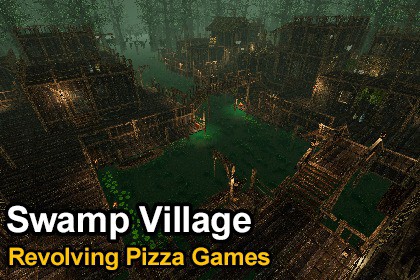
Swamp Village - Retro Style Modular Environment Pack
Revolving Pizza Games
$21.99
(no ratings)
Jump AssetStore
A retro style "Swamp Village" themed asset pack. Fully modular assets with low resolution textures.Create swamp villages, fishing settlements, and atmospheric wetland environments with a modular system of 300+ assets designed for grid-based level building. Build interconnected walkways, wooden houses, and layered structures that work seamlessly together to form complete interior and exterior spaces.Swamp Village features a distinct low-resolution texture style, combined with crisp filtering, creating a unique aesthetic that blends retro charm. It captures a nostalgic feel without the limitations of old game engines or consols.The included demo scene showcases a fully assembled swamp village, providing a ready-to-use environment and a solid starting point for your own levels. A separate prefab showcase scene is also included for easy asset browsing.KEY FEATURES328 models and 344 prefabsFully modular system (walls, floors, pillars, roofs, and more)Supports both interior and exterior environments256×256 textures with a crisp pixel styleIncludes “mossy” or “dirty” material variationsUse the default grid size (1, 1, 1) with snapping for modular placementSmaller models may require smaller increments such as (0.25, 0.25, 0.25)Real-world scale proportions2 demo scenes includedBuilt-in fire VFX prefabsDrag-and-drop ready prefabsTEXTURES AND MATERIALS29 low-resolution textures and materials, including wood, bark, roof, and flame FX.Materials are prepared for the Built-in Render Pipeline and can be easily converted to URP.Converting to URPSelect all materials (they should appear magenta), from the top menu, click Edit > Rendering > Materials > Convert Selected Built-in Materials to URP.For Unity 6, open Window > Rendering > Render Pipeline Converter. Select the Built-in pipeline as the source and choose your target pipeline. Select “Material Upgrade,” then click “Initialize and Convert.”Ensure all textures have their Filter Mode set to “Point (no filter)” to prevent blurriness.Texture Compression should be set to None.No custom shaders are used. Materials are compatible with URP and HDRP, though HDRP has not been explicitly tested.NOTE: Some materials use double-sided rendering in URP. In the Built-in pipeline, the Particle/Standard Surface shader is used to achieve double-sided behavior.Number of Prefabs: 344Number of Models: 328Number of Meshes: 421Number of Textures: 29Texture Dimensions: 256x256, some lowerMinimum Polygon Count: 2Maximum Polygon Count: 1646UV Mapping: YesLOD Information: Only trees have LODs

