






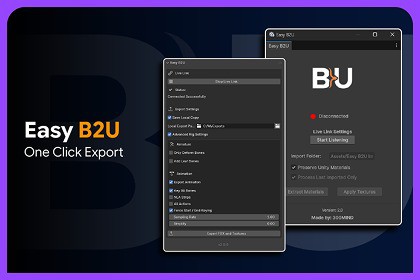
Easy B2U streamlines Blender-to-Unity workflows with static and rigged asset export, animations, URP materials, textures, LODs, automated setup, prefab-friendly reimports, and Live Link.Easy B2U - Easy Blender to Unity streamlines the workflow between Blender and Unity, helping artists and developers export assets, animations, materials, and textures with less repetitive setup.Designed for projects using Unity's Universal Render Pipeline (URP), Easy B2U supports both static and rigged asset workflows, automatic material setup, animation export, LOD configurations, multi-object exports, and a Blender-to-Unity Live Link.The toolkit is designed to reduce manual import and setup work while keeping the Blender-to-Unity workflow predictable and easy to manage.Key FeaturesStatic & Rigged Asset ExportExport both static objects and rigged characters directly from Blender to Unity.Static mesh exportRigged asset export with Armature and selected Mesh objectsMulti-object and multi-part asset supportConsistent Blender-to-Unity scale handlingSeparate processing workflows for static and rigged assetsAnimation ExportExport animation data together with rigged assets using flexible animation options.Supports:Active ActionsNLA StripsMultiple ActionsAnimation samplingKeyingKeyframe simplificationThis makes Easy B2U suitable for character animation, gameplay assets, animated props, and other rig-based workflows.URP Material SetupEasy B2U is designed around Unity's Universal Render Pipeline and can automatically configure imported materials using URP Lit shaders.Features include:Automatic URP Lit material assignmentBlender material extractionAutomatic texture applicationMaterial metadata processingTexture recognitionNormal map and data-map configurationImproved texture filename handlingAlpha transparency detection and compatible URP material configurationMetallic / Smoothness ProcessingAutomatically create URP-ready packed Metallic/Smoothness textures from compatible source textures, reducing manual material preparation inside Unity.LOD WorkflowExport assets with Level of Detail configurations while maintaining a workflow suitable for Unity LOD setups.Prefab-Friendly ReimportsEasy B2U includes a prefab reimport workflow designed to help preserve Unity-side scene and prefab overrides while assets are updated and re-exported from Blender.This makes iterative asset development easier without repeatedly rebuilding Unity-side changes.Blender → Unity Live LinkKeep Blender and Unity connected during asset development with the built-in Live Link workflow.The updated Live Link provides:Automatic Unity discoveryNon-blocking connection handlingAutomatic retry workflowConnection and export status feedbackFaster iteration between Blender and UnityGuided Unity SetupA built-in setup workflow helps configure Easy B2U and automatically detect the required Blender add-on, making initial installation and configuration easier.Flexible Unity ProcessingControl how newly imported assets are processed inside Unity.Available workflow options include:Add new processing operationsRemove processing operationsPreserve existing Unity materialsProcess only the last imported assetThis provides more control when integrating Easy B2U into an existing project or asset pipeline.Save Local CopyOptionally keep an additional copy of exported FBX files and textures outside the Unity project for backup, reuse, or external asset management.Designed for IterationEasy B2U is intended for workflows where Blender assets are regularly updated during development. Static meshes, rigged characters, animations, materials, textures, LODs, and Unity-side processing can all stay within the same Blender-to-Unity workflow.Support and FeedbackWe value your feedback and are here to help!Reach out to 300 Mind via our contact page, email us directly, or join our Discord community for support, updates, and discussions.Our team is ready to help with any questions you might have about setup, implementation, or customization.Disclaimer:This asset is not affiliated with, endorsed by, or sponsored by Blender Foundation or Unity Technologies. Blender and Unity are trademarks of their respective owners.Compatibility & RequirementsRendering Pipeline: Unity Universal Render Pipeline (URP)Blender Integration: Easy B2U Blender add-onPrimary Workflow: Blender → Unity asset transferMaterial Workflow: URP LitAsset ExportStatic Mesh Export: SupportedRigged Asset Export: SupportedArmature + Selected Mesh Export: SupportedMultiple Object Export: SupportedMulti-Part Objects: SupportedLOD Workflow: SupportedConsistent Scale Handling: SupportedLocal FBX / Texture Copy: SupportedAnimationActive Action Export: SupportedNLA Strip Export: SupportedMultiple Action Export: SupportedAnimation Sampling: SupportedKeying: SupportedKeyframe Simplification: SupportedMaterials & TexturesURP Lit Materials: SupportedAutomatic Material Assignment: SupportedMaterial Extraction: SupportedAutomatic Texture Application: SupportedMaterial Metadata Processing: SupportedTexture Recognition: SupportedNormal Map Configuration: SupportedData Map Configuration: SupportedAlpha Transparency Detection: SupportedMetallic / Smoothness Packing: SupportedTexture Filename Processing: SupportedPreserve Unity Materials: SupportedUnity ProcessingAutomatic Import Processing: SupportedConfigurable Processing Operations: SupportedProcess Last Imported Only: SupportedStatic / Rigged Processing Workflows: SupportedPrefab Reimport Workflow: SupportedPreserve Unity-Side Overrides During Reimport: SupportedLive LinkBlender → Unity Live Link: SupportedAutomatic Unity Discovery: SupportedAutomatic Connection Retry: SupportedNon-Blocking Discovery: SupportedConnection / Export Status Feedback: SupportedSetupGuided Unity Setup: IncludedBlender Add-on Detection: SupportedAutomatic Setup Assistance: IncludedIncluded WorkflowBlender add-onUnity-side importer/processorMaterial and texture processing toolsAnimation export workflowRigged asset workflowLive Link integrationUnity setup workflowSupport and FeedbackWe value your feedback and are here to help!Reach out to 300 Mind via our contact page, email us directly, or join our Discord community for support, updates, and discussions.Our team is ready to help with any questions you might have about setup, implementation, or customization.

