






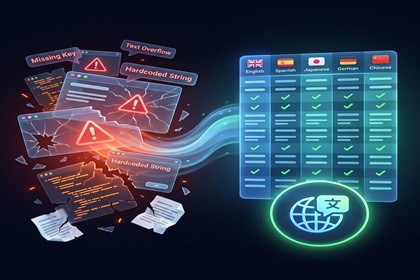
Safety-first localization workflow for Unity. Scan, dry-run, review, and apply localization changes with quality checks, subtitle tools, RTL support, and full project control.This tool supports all the SRP your fonts support.Advanced Localization ProSafety-first localization workflow for Unity.Localization should not feel like a late-night spreadsheet ritual under a blinking warning icon.Advanced Localization Pro turns Unity’s official Localization package into a controlled production workflow: scan → dry-run → review → apply → validate → report.Designed for teams that want real controlProject-wide scanning of scenes, prefabs, ScriptableObjects, TextMeshPro, Legacy UI, dropdowns, input fields, button text, and optional reflection-based stringsDry-run first, see exactly what will be created or changed before anything is writtenAutomatic key generation with collision handlingBackup and recovery helpersQuality analyzer (missing translations, duplicates, long strings, overflow risk, punctuation, glossary)Multi-mode spellcheckPer-locale TMP font mapping and RTL helpersComplete subtitle workflow (SRT import → SubtitleTrack → timeline editor → runtime player)Localization Flow Graph for dialogue and subtitle-style flowsRuntime debug overlay, missing translation highlighter, and pseudo-localizationReport and session exporters for team handoffRecommended workflowInstall Unity LocalizationOpen the Onboarding WizardRun a small dry-run scanReview the planned changesApply only after checking the previewFinish with Quality, Fonts/RTL, Subtitles, and Runtime Debug toolsWhat this is notNot a replacement for Unity’s official Localization package. Not a custom UI system.It is a professional workflow layer that makes scanning, reviewing, validating, and maintaining localization content safer and faster.CompatibilityRequires Unity Localization (Package Manager). Officially tested on Unity 2022.3 LTS and Unity 6000.x (2021.3 LTS legacy support where possible). Addressables is optional depending on your project setup.Project-wide localization scannerScene and prefab scanningScriptableObject scanningTextMeshPro and legacy Unity UI text supportDropdown, input field, and button child text extractorsReflection-based custom string extractionDry-run review before applying changesChange preview and apply workflowBackup and recovery helpersAutomatic key generationKey collision handlingLocalization table browser and table utilitiesMissing translation detectionDuplicate entry detectionQuality dashboardLong string and overflow-risk checksSpacing and punctuation checksGlossary supportMulti-mode spellcheck supportPer-locale TMP font mappingRTL helper toolsRuntime font switchingSubtitleTrack and SubtitleClip systemSubtitle timeline editorSRT importerRuntime SubtitlePlayerLocalization Flow GraphFlow graph validation and diagnosticsFlow graph subtitle import/exportRuntime flow graph playerRuntime debug overlayLocale hotkeysMissing translation highlighterPseudo-localization toolsRuntime key registryLocalized text binderLocalized dropdown optionsReport and session exportsOffline documentationDemo/sample content toolsEditor testsRequires Unity Localization (Package Manager)Officially tested on Unity 2022.3 LTS and Unity 6000.xLegacy support for Unity 2021.3 LTS where possibleAddressables optional depending on project setupAI was used as a development assistant during the creation of this tool. It helped with brainstorming, generating initial ideas, writing comments, and improving documentation grammar and spelling. All core systems, architecture decisions, final implementation, and production quality were directed and refined by the developer.

