






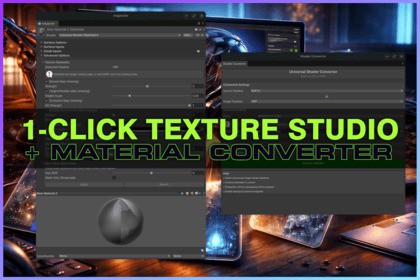
Context-Aware 1-click No-AI Texture Studio for generating missing maps (Mask/Normal/AO/Emission/Coat...) & converts materials across all Render-Pipelines & Custom Shaders both ways (batching/mapping)Requires Unity 6 LTS or Higher===| 💬 DISCORD | 📖 DOCUMENTATION |===Important: this is not an AI text-to-texture generator and it does not create new albedo/diffuse art from scratch. 1-Click Texture Studio is a pipeline and PBR utility that derives missing technical maps (normal, mask, AO, emission, coat, detail, etc.) from your existing textures like an existing base map and assigns them correctly.Create missing textures and color map variations fast inside Unityall based on only 1 existing color map!1-Click Texture Studio & Material Converter finishes what Unity leaves half-done: it generates context-aware the texture maps your target pipeline expects, then converts your materials across Custom Shader Material, Built-in, URP, and HDRP with safe property mapping.Texture Generator & Material Converter support Custom ShadersResize TexturesTexture GeneratorThe 1-Click Texture Studio is a general-purpose texture map generator. Use it to create missing maps for existing materials, imported assets, kitbashes, or prototype content, even if you are not converting pipelines.Context-Aware 1-Click Auto-Generated Texture Maps that make senseMost pipeline migrations fail on the boring stuff: missing maps, wrong packing, and endless slot fixing. Texture Studio generates the missing textures directly from your existing base map and assigns them to the correct shader slots automatically.Generate (pipeline-aware) maps such as:Mask/Metallic/Smoothness (HDRP MaskMap packing supported)NormalHeight / Parallax (HDRP optional)Occlusion (HDRP optional)Emission with smart accent detection (chroma + luminance), mask-only mode, and edge featherHDRP Coat Mask (separate texture plus writes coat into Mask B when present, sets coat enable automatically)Bent Normal (occlusion-aware) and Detail maps (DoG-style high-pass micro detail extraction)Smart Emission Map Generator (no painting required)Emission maps are not a simple threshold filter. Texture Studio uses a Dual-Hist Emission finder algorithm which automatically finds “likely emissive” pixels by analyzing both colorfulness (chroma) and brightness (luminance) in your base texture. A Coverage slider controls how selective it is, so you can decide how much becomes emissive. It catches both saturated neon accents and bright glints/LEDs, then generates either:Full Emissive Map (colored emissive output)Mask Only (Grayscale) with optional Edge Feather for clean, soft emissive masksDetail Map (HDRP): micro detail without noise-bombingTexture Studio generates HDRP detail maps using a Difference-of-Gaussians (DoG) approach to isolate true high-frequency detail. A noise gate and contrast curve suppress tiny noise while boosting meaningful micro-structure, so flat areas stay clean. Output is grayscale “detail energy” with tunable strength, ideal for subtle micro-contrast without wrecking your base textures.Coat Mask (HDRP): believable coat in one clickCoat masks are derived from luminance with Coverage and Feather controls for stable, artifact-free transitions. Texture Studio generates a dedicated coat mask texture and also writes the coat signal into the HDRP Mask Map B channel when present, then auto-enables coat (sets _CoatMask to 1). No hand-painting required for most textures.Hue Shift: recolor albedo inside UnityCreate recolor variants of your base map directly in the inspector with live preview. One click saves a new texture next to the source, applies correct import settings, and auto-assigns it to all common base map slots (_BaseMap, _MainTex, _BaseColorMap, _AlbedoMap). No external editor required.When can Texture Studio generate textures?You can run generation in two ways:Standalone generation: generate maps for existing materials anytime (even without conversion)During conversion: auto-generate only what is missing while converting pipelinesIt is batch-friendly and conservative: it only writes missing maps, and HDRP optional utilities stay opt-in so you do not bloat projects with textures you do not need.Material Converter: bidirectional pipeline conversion (Built-in ↔ URP ↔ HDRP)Unity only really helps in one direction. This tool converts both ways across all three pipelines, mapping compatible properties and safely skipping what cannot be translated.Core conversion features:Built-in ↔ URP, Built-in ↔ HDRP, URP ↔ HDRP, or from and to Custom Shader MaterialsProperty mapping for common textures/colors/floats, plus preserved tiling and offsetBatch modes (selected, folder, whole project)Optional material backups and detailed loggingSupported standard shaders across Built-in, URP, and HDRP (including Lit/Unlit and Terrain variants).Typical use casesMigrate a project from Built-in to URP or HDRP or Custom Shader without spending a weekend repacking masks and hunting missing maps.Move assets between pipelines (store packs, kitbashes, third-party models) and get immediately usable materials.Generate practical placeholder maps (normal, mask, AO, emission) to unblock prototyping, then replace hero assets later.Conversion WorkflowOpen: Tools → Texture Studio & Material Converter → ConverterEnable Texture Studio generation options (choose only the maps you want).Convert materials (or generate textures for existing materials).Result: converted materials plus the textures they need (normal, mask/coat, emission, bent normal, detail) without leaving the Unity editor.Context-Aware Texture GenerationDual-Hist Emission finder algorithmNo hand-painting required for most texturesNo AI texture generationCustom Shader Materials supportedRequires Unity 6 LTS & Higher

