






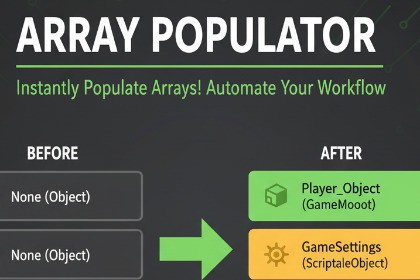
Array Populator (Editor) – Bulk Array & List Populator Tool for Unity
Catzy Fresh
$5.50
(no ratings)
Jump AssetStore
A powerful Unity Editor tool that lets you instantly populate serialized arrays and lists in your scripts —directly from your scene, hierarchy, or asset folders.This is an Editor tool it works with all Render Pipelines Array Populator (Editor) is a professional-grade Unity Editor extension designed to dramatically speed up your workflow when filling serialized arrays or lists in Components, ScriptableObjects, or custom tools.Whether you’re working with GameObjects, MeshRenderers, AudioClips, Textures, or ScriptableObjects, this tool allows you to bulk-assign all required elements automatically — in seconds.It’s the perfect solution for environment artists, technical designers, and programmers who often manage large sets of serialized data inside Unity.Key FeaturesPopulate from Multiple SourcesScene Selection: Instantly add all selected objects or components in the scene.Parent & Children: Auto-fill arrays with all child objects under a selected parent.Folder Import: Collect all prefabs, textures, audio clips, or any assets inside a folder.Drag & Drop: Manually drag GameObjects or assets directly into the window.Smart OptionsAppend or Replace: Choose whether to add new elements or clear existing ones.Unique Filter: Automatically remove duplicates.Sort A→Z or Shuffle: Organize your arrays alphabetically or randomize them.Undo Support: Every populate action is Undo-safe.Component Auto-DetectionWorks seamlessly with fields like List or GameObject[].Detects matching component types automatically when populating from prefabs or scene objects.Clean, Productive UIOrganized EditorWindow accessible via Tools → Array Populator.Context menu shortcut: Right-click any Component → Populate Arrays/Lists…Safe and Editor-onlyFully Editor-exclusive — no runtime overhead or dependencies.Undo, validation, and asset references are all Unity-native.Typical Use CasesQuickly filling a List or List for batch operations.Assigning all prefabs in a folder to a ScriptableObject reference list.Populating texture or audio banks for content-heavy scenes.Auto-linking children GameObjects (e.g., level nodes, checkpoints, waypoints).Preparing datasets for procedural systems or custom tools.How It WorksOpen Tools → Array Populator.Select your Target GameObject, Component (script), and the array/list field.Choose a Source Type (Selection, Parent & Children, or Folder).Configure options (Append, Unique, Sort, Shuffle).Click Apply — your field is populated automatically.Review results and Undo if needed.Technical Details:Category: Editor Extension / Productivity ToolCompatible Unity Versions: 2021.3 LTS and aboveSupported Platforms: Windows, macOS, Linux (Editor only)Code Language: C# (fully documented and commented)Source Code Included: YesRuntime Dependencies: None (Editor-only)Undo Integration: Full supportInspector Integration: Works with MonoBehaviours, ScriptableObjects, and serialized nested typesInstallation: Import .unitypackage 📦 Package ContentsFileDescriptionArrayPopulateUtility.csCore backend logic for reflection, validation, and array population.ArrayPopulatorWindow.csThe main Editor Window UI for selecting and applying population sources.ArrayPopulator.ContextMenu.csAdds context menu integration and hotkey support.README_ArrayPopulator.mdQuick-start documentation.ArrayPopulator_Editor_Documentation.pdfFull offline guide (as per Asset Store requirements).📚 DocumentationOffline PDF: Included in the package (ArrayPopulator_Editor_Documentation.pdf)❓ SupportFor technical support or feature requests:Contact via Unity Asset Store publisher page: Catzy FreshEmail: catzy2403@gmail.comInclude Unity version, OS, error logs, and reproduction steps in your ticket.Coding Guidance and Documentation

