






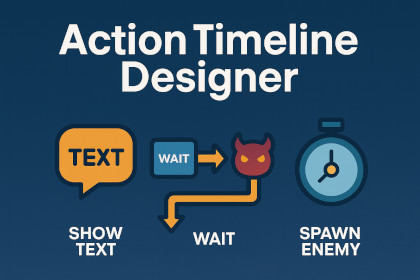
Create and manage cutscene or event sequences visually with no coding. Chain actions like text display, waits, and enemy spawns using a simple timeline editor.The Action Timeline Designer is a lightweight yet powerful tool for designing in-game sequences without writing a single line of code.With a clean, intuitive timeline editor, you can chain together actions such as showing dialogue, waiting for a delay, spawning enemies, and more. Perfect for cutscenes, tutorials, scripted encounters, or any situation where events need to run in a specific order.Save your sequences as reusable timeline assets, run them during gameplay with a simple TimelineRunner component, and even extend the system with your own custom actions using the provided modular architecture.Whether you’re making a 2D RPG, a 3D adventure, or a narrative-driven game, this tool fits right into your workflow — no dependencies, minimal setup, and quick to learn.Includes:Visual editor window for creating timelinesBuilt-in actions for text display, waits, and prefab spawningExample scene, sample timelines, and prefabsFull source code for easy extensionVisual Timeline Editor– Create, edit, reorder, and configure action sequences directly in the editor.– Spawn Enemy– Instantiate prefabs at defined positionsBuilt-in Actions:- Show Text – Display dialogue, UI messages, or debug logs- Wait – Pause execution for a set durationModular Architecture – Easily add your own custom actions by implementing IActionTimeline Assets – Save and reuse cutscene sequences as ScriptableObjectsRuntime Execution – TimelineRunner MonoBehaviour executes sequences via coroutinesCustom Inspector Editors – Context-aware parameter fields for each action typeSample Content – Example scene with demo cutscene, timelines, and prefabsLightweight – No external dependencies, works in 2D and 3D projectsUnity Compatibility – Tested on Unity 2020.3 LTS and aboveAI assistance was used only to refine the wording of written documentation and marketing copy.All gameplay logic, C# scripts, prefabs, editor tools, architecture, and UI elements were fully authored, tested, and optimized by me. The quest system’s functionality, integrations, and asset structure are original work and have been built from scratch for this package.

