






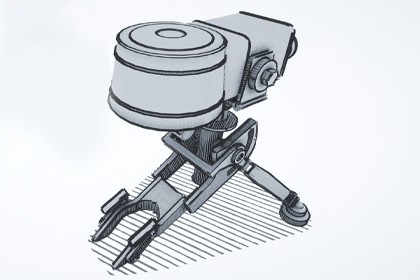
Turn Unity into a fantastic sketch artist!Croquis Sketch Editor is a set of tools designed to help artists, game developers, and content creators generate dynamic, sketch-like edge meshes with artistic styles directly in Unity. Whether you're aiming for a hand-drawn aesthetic in your 3D models, prototyping visual effects, real-time architectural visualisations, or adding artistic flair to your projects, Croquis makes it intuitive and powerful.The heart of the Croquis Sketch Editor toolset is the Croquis Editor, where you create edge meshes simply by selecting a game object with a mesh filter and setting it as a target component. It will automatically add a script to your selected mesh that holds all the information about the generated edges - called edges for simplicity, in reality, they are quads with UV mapping where the artistic materials will be applied. In effect, the tool calculates what edges can be used to generate to 'croquis' lines on top as a separate mesh.By default, UV borders are taken into account for croquis generation, so if you plan your UV mapping accordingly, Croquis will generate an almost perfect sketch. However, for more control, you can use vertex colors to map edges in your modeling software if you want to generate croquis lines from those particular edges. The editor is powerful but it is just a tool so it cannot match human artistic flair; therefore, I developed an Edge Cleaner tool to remove unwanted edges if need be.Key features:Target Selection: Easily select target components or mesh filters for edge generation. Use the "Target Selected" button to quickly grab your active object.Edge Parameters: Fine-tune your lines with sliders for Min Edge Length (default 0.01), Max Edge Length (default 1.00), Flare Max Length (default 0.2), Line Offset (default 0.025), and Flares Min Edge Length (default 0.001). Enable "Generate Flares" to add dynamic flare effects for more organic looks.Material Settings: Croquis Editor has three default presets (Thin, Medium, and Thick) - this will allow for later customization with Style Editor. UV settings such as Stretch and Tile give you more control over the final result.Advanced Options: Control edge behavior with Minimum Degrees Angle (default 0), Resolution (default 0.1), Min Radius (default 0.1), Subdivision levels (default 0), and Min Bend Angle (default 0.1) for smoother curves and bends.Actions: Apply Material & Settings to see changes in real-time - although modifying some of the core features will automatically update the mesh.Edge Cleaner: Polish Your Meshes for Clean ResultsEdge Cleaner helps you refine your generated meshes by detecting and fixing issues like duplicates, tiny or unwanted sketch lines/edges.Essential tools:Target Mesh: Pick your mesh filter and target it with the "Target Selected" button.Statistics: Real-time info on selected triangles (starts at 0).Duplicate Quad Detection: Detect nearly identical quads with a "Show Duplicates" toggle. Use "Detect Duplicates" or "Select All Duplicates" buttons—duplicates highlight in magenta for easy spotting.Tiny Edge Detection: Highlight edges below a Length Threshold (default 0.5) with "Show Tiny Edges." Select them all via "Select All Tiny Edges"—tiny edges appear in orange.Actions: Delete selected triangles (with undo via "Undo Last Delete"), grow your selection, or clear it entirely.Instructions: Interactive tips for selection—click to toggle quads, drag for multiples, press F to frame the last selected, with green outlines for selected quads.Styles Editor: Customize Materials for Artistic DepthOnce your edges are generated, the Styles Editor lets you apply and tweak materials to achieve unique visual styles. Think of it as your brush palette for digital sketching.Highlights:Target Mesh: Select an edge mesh you want to change the visual style of - a library of materials is available there - pencils, ink, brush.Style Material: Assign a main material with UV tiling controls for X and Y axes—reset to defaults (1,1) anytime.Edge Length Filtering: Differentiate short and long edges with a Length Threshold (default 0.5). Short edges get their own material and UV tiling, while long edges inherit the main style.Shader properties - Adjust Edge Tint Color (default white), Depth Offset Multiplier (default 0.05), Max Distance to Surface (default 200), and Fallback Color (default black) for depth and shading effects.

