






Flexible Blur - UI Blur Framework That Solves Hard Problems
Jeff Graw Assets
$40.43
Jump AssetStore
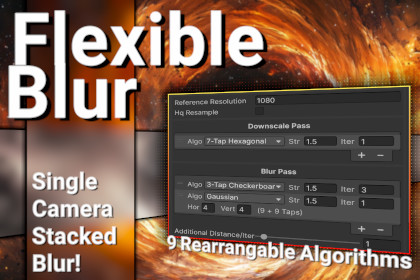
FlexibleBlur is the most advanced UGUI Blur solution for Unity.DISCUSSION | DISCORD | SUPPORT/INQUIRIES(Reviews prior to November 2025 are from a previous version of a similar asset, which recieved a free upgrade)The Pinnacle of UI BlurFlexible Blur is the most versatile, advanced, and performant UI blur solution for Unity, solving the difficult problems other solutions ignore. Flexible Blur gives you complete control over quality, and the tools to reach the highest performance for your requirements.Dynamic BatchingOther aproaches either don't batch at all, or are encumbered with a limitation that every blur on screen (or belonging to a camera) needs to share settings. Flexible Blur is the only approach that allows differing blurs to coexist, while equivalent blurs can batch together. The best of both worlds!Better Blur StackingFlexible Blur has a number of ways to stack blurs on top one another, and is the only asset with the ability to display true, UI preserving, stacked blur in a single camera setup. Additional cameras are very expensive in URP, and Flexible Blur can help you to minimize camera usage. (See tutorial video and documentation)FEATURESCORE FUNCTIONALITY▪ Simple setup: Include the FlexibleBlur renderer feature, add BlurredImage components▪ Equavalent blurs can be batched, while differing blurs can coexist▪ Choice of nine blur algorithms: including true Gaussian blur with variable horizontal and vertical kernel size▪ Algorithms cam be combined and chained together▪ Resolution-independent▪ Minimal overdraw. Blurs the smallest necessary area by default, along with the option to pad blur area to reduce edge temporal noise▪ The only asset that provides for stacked blur in a single camera setup.ADDITIONAL FEATURES▪ Components can use presets which are responsive to quality settings▪ Choice between traditional and compute shaders▪ Adjustable dithering (interleaved gradient noise)▪ Brightness, contrast, vibrancy, and tint controls▪ Blur rendering can be paused. Useful to save power/performance in pause screens, where everything under the blur can then be safely disabled▪ Platform-specific settings, such as texture formats▪ Additional uses, such as a low-noise pixellation effect▪ And more!COMPATIBILITY▪ Tested on Unity 2022.3+ (likely works back to 2022.1, but not officially supported)▪ Supports URP. Does not support BiRP or HDRP renderers.▪ Supports Unity 6 Rendergraph▪ VR-compatible, including single-pass▪ Supports all UGUI canvas types. Does not support UIToolkit▪ Supports all standard "UGUI Image" component features (masks, fills, sliced sprites, etc.)Flexible Blur integrates with Flexible Image, the most advanced and highly performant procedural UI solution for Unity, to add beautiful blur effects to procedural elements.Flexible Blur additionally integrates with Flexible Glass, the most complete liquid glass system for Unity.Available in the Flexible UI Suite Bundle.Most flexible UI blur solution on the asset store.Unity 6 RenderGraph support.Being built specifically for URP means a more tailored and elegant solution. There is a Renderer Feature, blur components, and that's it. Scenes are straightforward to set up. No component needs to be added to cameras.Choice between compute and fragment shader paths.Blurs can be set up individually, or with shared presets.Presets can respond to quality settings.Very fine grained control over quality versus performance.One reason I deciced to create Flexible Blur was that other solutions had a tendency to sacrifice quality on the altar of performance (or vice-versa) and were not able to be configured outside of a certain range in quality.Supports resolution independant blur (the strength of blurs in other assets may shrink as applicaiton resolution increases.)Supports dithering to eliminate banding on very strong blurs.Supports stacked blur via multiple camerasAlso supports limited blur stacking with a single camera, where blurs can see one another, but not other UI elements on the same canvas.Choice of two different blur components: UIBlur is lightweight but limited, while ProceduralBlurredImage leverages, and expands upon, existing features of UGUI Image components.Able to setup platform-specific texture formats and shader path.Supports world space, screen space, and overlay canvases.Practically performance cost when no blurs are active.As opposed to other assets that apply blur to every pixel on that a camera can see, Flexible Blur only blurs the pixels that are needed.Unlike certain competitors, you are not constrained to a single blur source per camera. There is no requirement that all blurs share the settings.By extension, blurs can fade in and out naturally instead of relying on alpha blending.There's is a trade-off between the total number of sampled pixels and the overhead each blur incurs (but lower overhead per blur with the compute path).But with Flexible Blur, you decide which tradeoffs are needed.ProceduralBlurredImages can be marked as batchable, where applicable blurs will automatically share a source.These batches blurs behave similarly to the way some competitors work by default, with similar limitations.Even with batched blurs we still avoid blurring every pixel, and just blur the minimum area required to contain the batched elements. But batched blurs can be set to blur the whole screen to capture edge cases.AI Image generation was used to generate background images for demo scenes.

