




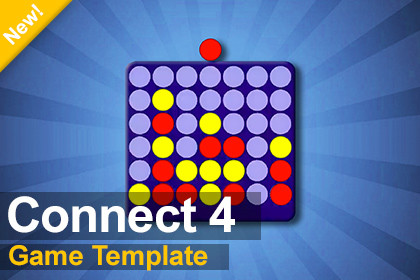
Connect 4 Unity Template. Features PvP & smart AI modes, satisfying physics, slick win animations, and a clean UI. A perfect plug and play asset!Create a classic Connect 4 game instantly with this highly polished, plug and play Unity template!This complete asset delivers a flawless board game experience right out of the box. Build a 6x7 grid game featuring both local Two-Player and smart AI modes, powered by a 7-level Minimax algorithm that runs flawlessly across all platforms.With satisfying custom physics, a unified input system, this template saves you hours of coding and setup time! Key Features:Ultimate Plug & Play: Drop the GameManager prefab into any scene and play instantly.Smart AI: 7 difficulty levels, fully optimized for WebGL.Satisfying Custom Physics: Smooth, bouncy disc drops with zero 2D physics overhead.Rewarding Win Animations: A sleek animated line draws across winning discs.Dynamic Screen Scaling: Automatically resizes the camera to fit any PC or mobile screen.Universal Input: Seamlessly handles mouse clicks, touches, and pens out of the box.Clean Architecture: Built on a decoupled Event System for easy modification.Cross Platform Ready: Fully tested for Windows, macOS, Android, iOS, and WebGL!This asset delivers a highly optimized, fully functional Connect 4 template built on a clean, decoupled C# architecture.Plug & Play Setup: The entire game loop is modularized into a single GameManager prefab. Drop it into an empty scene at (0,0,0) and hit play.Smart Minimax AI: Includes a CPU opponent powered by the Minimax algorithm (with Alpha Beta pruning). Features 7 difficulty levels and asynchronous execution to ensure WebGL browser safety.Universal Input: Natively uses Pointer.current to seamlessly handle mouse clicks, mobile touches, and tablet pens without extra configuration.Optimized Visuals: Features custom, lightweight "fake physics" for bouncy disc drops (zero 2D-physics overhead) and dynamic line renderer animations for winning connections.Dynamic Viewport: A custom camera script automatically calculates aspect ratios and perfectly frames the board on any device screen.Decoupled Architecture: Utilizes a C# Event System to update the UI (TextMeshPro) without tangling code logic.Requirements:Unity 2019.4 or laterTextMeshPro (Included)Supports Windows, macOS, iOS, Android, and WebGL.This Package was created by the author with ai assistance for debugging and development support, and was fully reviewed and finalized manualy.

