






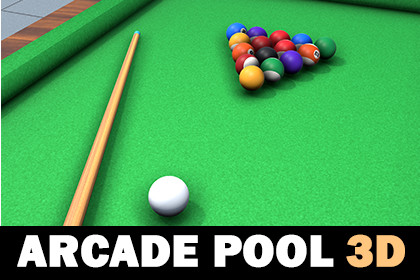
Arcade Pool 3D - Game Template
Black Rose Developers
$16.50
$31.90
48%OFF
(no ratings)
Jump AssetStore
Play billiards with realistic physics in this 3D pool template! Includes AI and 2-player modes, intuitive controls, and polished gameplay for your next arcade-style project.🎱 Arcade Pool 3D – Game TemplateBring the excitement of billiards to your Unity project with this fully playable 3D pool game template! Featuring realistic physics, intuitive controls, and support for both single-player vs AI and offline 2-player mode, this package is perfect for developers looking to create a fun and polished arcade-style pool experience.🔗 Try the Demos:📱 Android APK🌐 WebGL📂 Project Highlights:🎨 Art Assets: 20 high-quality PNG textures, 29 material sprites, 4 FBX 3D models, and 23 UI elements including a ready-to-use game icon🧱 Prefabs: 25 drag-and-drop prefabs to speed up development🌍 Scenes: Includes a main menu and a dedicated gameplay scene⚙️ Scriptable Objects: Easily manage UI and game mode settings with 2 cleanly structured scriptable objects💻 Scripts: 20 well-organized, optimized C# scripts that are easy to read, modify, and extend🎮 Whether you're building a classic pool game or adding a fun mini-game to your larger project, Arcade Pool 3D is a flexible and ready-to-launch solution.📧 SupportHave questions or need help? Reach out to us anytime via blackrosedevelopers.com1.ArtArt folder is subdivided into four folders.A. MaterialsContains subfolders with 29 various materials used in the game (including 2 physic material), which can be customized with different colours or sprites.B. Sprites:Contains 23 PNG sprites including a game iconC. Models:Contains 4 models of ball, table, table collision and que (3D FBX)D. Textures:Contains 20 PNG textures that can be applied to materials in the game2. PrefabsThe Prefabs folder includes three main categories with 25 prefabs:- Gameplay: 4 prefabs of different objects used in gameplay for level design. (ball, stick, table and table collision)- Color Balls: 15 unique color balls prefabs.- UI: 6 prefabs of the game menus.Check the the pre-designed level for understanding prefab functions.3. Scenes- MainMenu: The starting scene of the game- Scene-1: The main scene of the game4. Scriptable ObjectUIData scriptable which store and keep UI info and Data Storage to set the game mode. (play with computer / two-player)5. Scripts20 Scripts are categorized into four folders(Gameplay, Scriptable objects, Input and UI), with clear names and functions to ensure easy understanding.

