






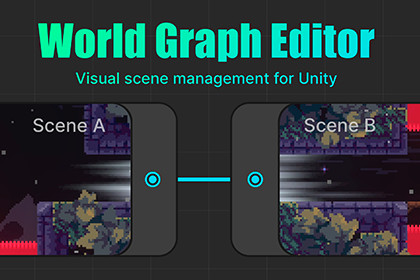
A complete framework for building and managing multi-scene worlds in Unity, featuring a visual graph editor, runtime scene transitions, and powerful validation tools.The asset itself is render pipeline agnostic and works with Built-in, URP, HDRP, and custom SRPs. The included demo scenes use the Universal Render Pipeline (URP) by default.World Graph Editor is a framework for building and managing multi-scene worlds in Unity. It is especially useful for platformers, metroidvanias, adventure games, and other projects built around interconnected scenes.It provides a single visual source of truth for scene connections, runtime navigation, and project validation, making large multi-scene projects easier to maintain and scale.Every core system — transition logic, triggers, and validation rules — can be replaced with your own implementation, so the framework adapts to your project's architecture instead of forcing a specific workflow.📖 Documentation: Link🎮 Live demo projects (Zenject & Addressables integration): Link🌐 Website (Quick Start, Features, Comparisons): LinkKey features:Node-based editor to design scene connections and player traversal through a visual graph — see your whole world at a glance instead of piecing it together from scene names.Built-in runtime transition system for Build Settings and Addressable scenes — skip writing your own scene-loading logic from scratch.Async transition pipeline with priorities, cancellation support, and custom transition tasks — control the exact order of your custom async logic (like level generation) and avoid orphaned tasks left running after exiting Play Mode.Scene validation system with support for custom validation tests — catch missing ports and misconfigured scenes before they reach a build.Reachability analysis to detect disconnected or unreachable parts of the world graph — find broken connections in one click instead of tracing every path by hand.Supports editing and testing graph connections during Play Mode — iterate on scene layout without stopping playtests.Visual highlighting and labeling of scene ports directly in the Unity Editor — spot which objects have ports configured right in the Hierarchy, without opening each one individually.Scene previews on graph nodes for faster navigation in large projects.Three connection types: Undirected, One-Way, and Shortcut (flag-gated) — match how each part of your world is actually meant to be traversed.Additional features:Extensible architecture: create custom Transition Managers, transition triggers, and validation rules for non-standard requirements.Automatic Addressables integration with no direct package dependency.Keeps Build Settings synchronized with the graph configuration, so scene lists never drift out of sync.Project Settings integration for graph appearance, editor tools, and validation configuration.Scene View overlays for graph status, container status, and thumbnail capture settings.Main Toolbar shortcuts for Transition Manager access and scene switching workflows.Optional automatic player spawning during scene transitions.Designed for both 2D and 3D multi-scene worlds.Optional dependency: The Addressables package is not required. World Graph Editor works fully with Unity's built-in Build Settings out of the box; Addressables support is enabled automatically only if the package is already present in your project.Unity Versions:Supports Unity 2023.2.10f1 and newer, including the full Unity 6.x range up to 6.7.Supported OS:Windows, macOSLinux compatibility is expected but not tested.Supported platforms:Tested on Windows, macOS, WebGL and Android.The framework is platform-agnostic and should work on other Unity-supported platforms, although no dedicated testing was performed.Demo:The framework is not dependent on any render pipeline; however, the demo scenes use URP and the old input system.

