






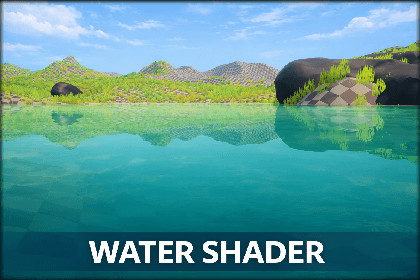
Easy Setup Stylized Water (URP)
ESSW is a stylized water solution for URP made to look great without the headache.URP compatible Why You’ll Like ItFits perfectly in stylized and semi-stylized gamesGood-Looking Stylized WaterClean, readable visualsDepth-based color and refractionStable in both Editor and BuildsReal-Time Planar ReflectionsSharp reflections for sky and environmentWorks for lakes, rivers, and oceansFoam & Waves Made SimpleAdjustable foam for shorelines and movementAnimated waves, from subtle to strongNo shader knowledge requiredEasy & Friendly UIClear, well-organized Inspector controlsEverything exposed, nothing hiddenDrop it in, tweak a few sliders, doneFast SetupAdd water directly from the Unity menuMaterials and components are created automaticallySuitable for prototypes and full projectsPerformance-FriendlyDesigned for URPAdjustable quality optionsGetting Started (Very Quick)GameObject → 3D Object → Add WaterChoose Low Poly or High PolyAdjust the water using the Water Shader ControllerPress PlayNo complex steps. No extra setup.Great ForIndie gamesStylized worldsPrototypes and game jamsPC, mobile, and URP-based projectsFinal NoteESSW focuses on one goal: making water easy, stable, and good-looking.Less setup. Less confusion. More time building your game.Disable "Cast Shadows": To prevent unwanted shadowEnable "Opaque Texture": make sure the "Opaque Texture" option is enabled in URP Pipeline Asset settings.if the depth dosnt work in the game windows set the Deferred Rendering to Depth Texture Mode to Force PrepassShader Graph: Must be enabled via the Unity Package Managerreduce the waves height if it looks wierd.Code: Clean, readable, and build-safeRender Pipeline: Universal Render Pipeline (URP)Unity Version: Built with Unity 6 (Unity 2023 LTS or newer recommended)Platforms: Any URP-supported platformfix/clean/optimize codes

