



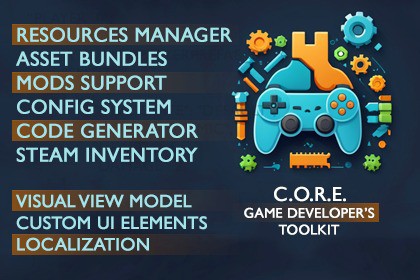
Production-ready Unity framework: Zenject DI, VVM UI, JSON configs, saves, Asset Bundles, mods, localization, Steam Inventory and more. One architecture, full docs and API, 2 example projects.Tested with Unity2022.3.7f16000.3.8f1 - read docsAPI | DOCUMENTATION | FORUM | DiscordStop rebuilding the same game foundation. C.O.R.E. is a complete architecture for Unity games: boot, dependency injection, UI, data, saves, resources and mods, already connected and documented. You write the gameplay; the framework owns everything around it. Works for any genre and any experience level. New in 1.3: full gamepad support, from menu navigation to button prompts.Try it firstPlatformer example - a complete project using the framework end to endTower Defence example - built on Unity's Tower Defense Template, with a mod that adds a levelMade with C.O.R.E.: Soluna's Mood on SteamWhat is insideArchitectureVisual View Model - a light MVC-style pattern: Visual holds the prefab references, View holds the logic, with a clear lifecycleGlobal Updater and Time Manager - pause-aware updates with explicit order, timers and delaysZenject DI, UniTask - bundled and already wired into every systemDataConfig System - game data in JSON: singleton and list configs, references, validation, change settings without touching codeConfig Editor - every JSON config in one window; your values live in override files that package updates never touchModel and Save System - player progress with autosave, backups and restore, optional encryption and Steam CloudContent pipelineResource Manager - prefabs, scenes and images through Asset Bundles or Streaming AssetsCode Generator - typed enums and loaders for resources, colors, localization keys and input: no string paths, errors at compile timeColor Library - one palette for the whole UILocalization - CSV tables with typed keys, plurals and arguments, localized sprites and sounds, the Localization Editor, Google Sheets importUI and scenesCustom UI Elements - button, toggle, slider, dropdown, input field, tabs, table, text, with a State Machine and editor previewGame Settings - ready graphics, audio and control settingsScene Loader - async loading with progress, preloaded scenesMouse Manager - cursor states and hover/click eventsInput and gamepad (new in 1.3)Gamepad and UI Navigation - menus navigated by layers, groups and elements; button prompts for Xbox, PlayStation and Steam Deck; virtual cursor, vibration, local multiplayerInput System - built on Unity Input System: your own action assets, polling, restrictions, rebinding, and the Input Editor for actions, bindings and prompt iconsRuntime systemsInput System - built on Unity Input SystemAudio System - volume channels (Main, UI, Effects, Music); FMOD is plannedUtils - object pool and everyday helpersMods and SteamMods Support - export mods with the Mod Tool; mods bring levels, configs, textures and audioSteam Inventory - declare items with SteamInventoryBuilder, manage them with SteamInventoryManager: item grants, store, exchange, craftingAI-ready (v1.1)Ships a Claude Code skill with the verified API and lifecycle rules; one menu item installs it into your projectGet started in 5 minutesImport the package and TMP Essential ResourcesSet Scripting Backend to Mono, API Compatibility to .NET Standard 2.1, Managed Stripping Level to DisabledOpen Tools/CORE/Setup Wizard and fix what it listsOpen ExamplesScene and press PlayRead the Documentation and the APIUpdating from 1.1Back up your project before updating: commit it or make a copy - the migrations rewrite prefabs, scenes and scriptsThen follow Updating from 1.1: import, run the Setup Wizard migrations, Generate, rebuild the bundlesThe old localization, audio and console API keeps working until 1.4.0Good to knowWindows is the only supported platform for now; more are planned (Platforms)Unity 6: partial support, the editor tools can conflict in some cases (Compatibility)Character and background assets from the promo video, screenshots and tutorials are not includedRefund policy - read before buying. Questions: e-mail, Discord or the Forum. If C.O.R.E. saves you time, a review on this page helps a lot.FeaturesZenject-based architecture with a Visual View Model UI patternJSON Config System with references, validation and runtime configs, and the Config EditorSave System with autosave, save slots, backups, encryption and Steam CloudResource Manager with Asset Bundles and Streaming AssetsCode Generator: typed enums for resources, colors, localization, sounds and inputCustom UI Elements with State Machine and editor previewGamepad and UI Navigation: navigation, button prompts for Xbox, PlayStation and Steam Deck, virtual cursor, vibration, local multiplayerLocalization on CSV tables with the Localization Editor and Google Sheets importAudio System with the Audio Editor and a Unity or FMOD backendConsole: in-game console with [ConsoleCommand] commandsMods Support: export and load mods with levels, configs, textures and audioSteam Inventory builder and managerInput System with the Input Editor, Scene Loader, Time Manager, Global Updater, Color Library, Mouse Manager, Game Settings, UtilsEditor tools: Welcome, Setup Wizard, Settings, Debugger, in-editor ManualExamples: Platformer, Tower DefenceFull C# source, assembly definitions, documentation and API referenceCompatibilityUnity 2022.3.7f1 and newer; render pipelines Built-in, URP, HDRPUnity 6: partial support, in some cases the editor conflicts (details)Platforms: Windows only for now; more are planned (details)Build settings: Scripting Backend Mono, .NET Standard 2.1+, Managed Stripping DisabledDependenciesIncluded: Zenject (Extenject), UniTask, Steamworks.NET, Mono.CecilPackages: Input System 1.6.3, Newtonsoft Json, TextMeshProOptional: FMOD for Unity, only for the FMOD audio backendLegacy until 1.4.0: GameToolkit-Localization and an In-game Debug Console shim, kept only so projects updating from 1.1 keep compilingThe runtime framework code (everything under Scripts/Shared) was written by the publisher. AI-assisted tools were used for the editor tooling (CORE Editor Kit and the editor windows), and for drafting the store page text. All AI-assisted code was reviewed by the publisher.